GL.iNet Slate 7 Pro (GL-BE10000) review
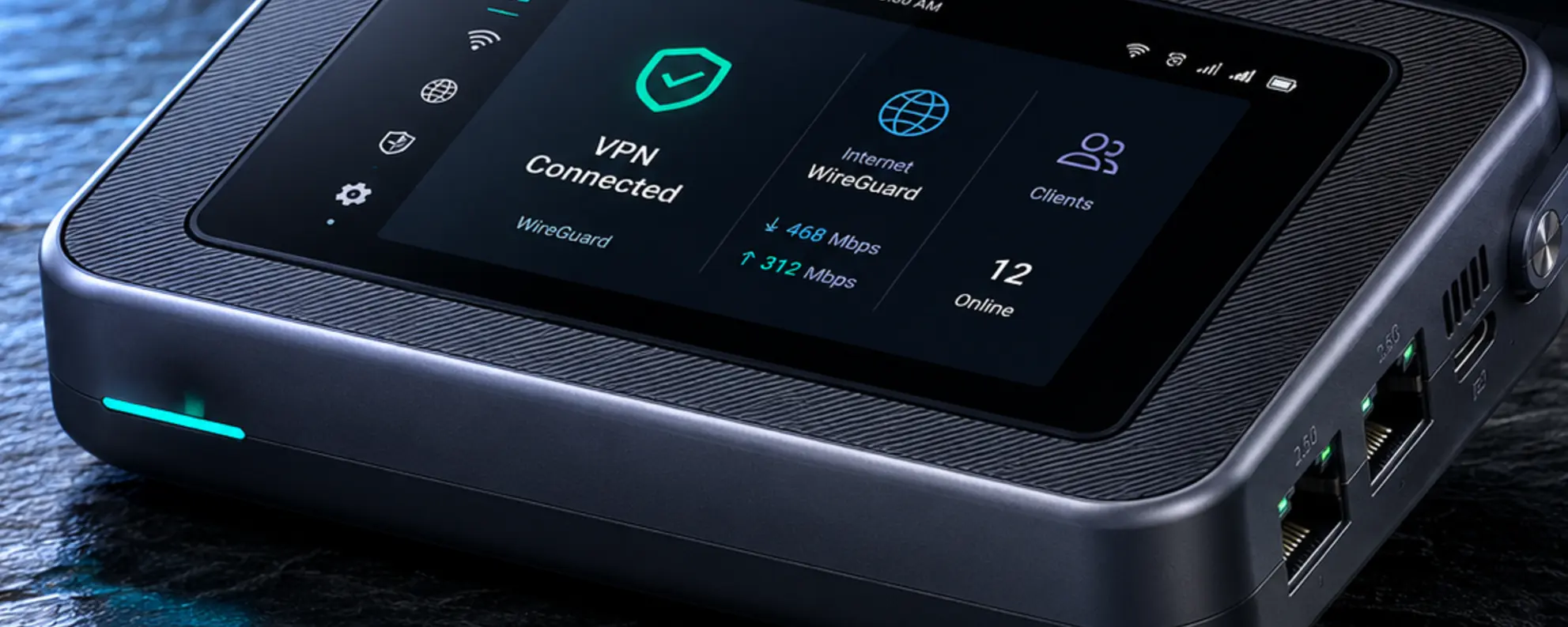
The GL.iNet Slate 7 Pro is the travel router with the fastest Wi-Fi in GL.iNet's lineup: tri-band Wi-Fi 7 including 6 GHz, a touchscreen and faster WireGuard than the regular Slate 7.
GL.iNet Slate 7 Pro (GL-BE10000) review
The GL.iNet Slate 7 Pro is the travel router with the fastest Wi-Fi in GL.iNet’s lineup: tri-band Wi-Fi 7 including 6 GHz, a touchscreen and faster WireGuard than the regular Slate 7.
Who is this for? Travellers and home users who want maximum Wi-Fi 7 performance in a travel router — including the 6 GHz band — and are willing to pay more than for the Slate 7 or Beryl 7.
Compared to the Slate 7, it adds the 6 GHz band (tri-band instead of dual-band), a faster processor, a larger touchscreen (2.8 instead of 2.22 inch) and higher WireGuard throughput. The two configurable 2.5G ports and the OpenWrt-based firmware are also on the Slate 7. The price premium is significant: around €253 / $240 versus around €170 / $160 for the Slate 7.
US availability note (still current, November 2026): the Slate 7 Pro is not sold in the US. GL.iNet’s US store lists it at $239.99 but marks every version unavailable, and cites “recent FCC-related developments” — the same wider situation that is also holding up the Flint 4 in the US. The $240 figure below is that listed price. The Slate 7 (non-Pro), Beryl 7 and other GL.iNet models already sold in the US are unaffected.
Specifications
| Spec | Value |
|---|---|
| CPU | MediaTek quad-core @2.0 GHz |
| RAM | 1 GB DDR4 |
| Storage | 512 MB NAND |
| Wi-Fi | Wi-Fi 7 tri-band (BE10000): 688 Mbps (2.4 GHz) + 2,882 Mbps (5 GHz) + 5,764 Mbps (6 GHz) |
| Ethernet | 2× 2.5G (both configurable as WAN or LAN; default 1× WAN, 1× LAN) |
| USB | 1× USB 3.0 Type-C data |
| Touchscreen | Yes — 2.8” colour LCD |
| OS | GL.iNet firmware 4.8 based on OpenWrt 21.02 |
| DPI | Yes (Deep Packet Inspection built in) |
| Power | USB-C PD (5V/3A, 9V/3A, 12V/2.5A), no battery |
| Dimensions | 130 × 91 × 36 mm, 328 g |
| Price | around €253 / $240 (check current price; not currently sold in the US — see note above) |
WireGuard performance
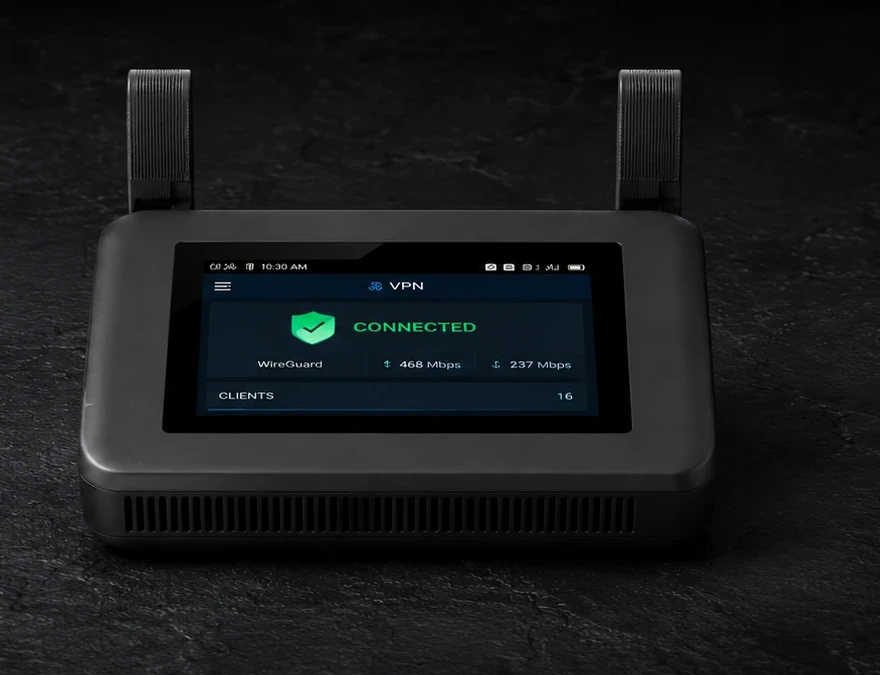
GL.iNet specifies WireGuard throughput up to 1,100 Mbps and OpenVPN-DCO up to 1,000 Mbps. That matches the Beryl 7, which has the same processor speed, and is more than double the Slate 7 (~490 Mbps). These are GL.iNet’s maximum figures; we did not measure them. The Slate 7 Pro has more RAM than the Beryl 7 (1 GB vs 512 MB), which gives headroom for more concurrent services.
Slate 7 Pro vs Slate 7
| Slate 7 (BE3600) | Slate 7 Pro (BE10000) | |
|---|---|---|
| Wi-Fi | Dual-band Wi-Fi 7 | Tri-band Wi-Fi 7 (+ 6 GHz) |
| CPU | Qualcomm quad-core 1.1 GHz | MediaTek quad-core 2.0 GHz |
| RAM | 1 GB | 1 GB |
| WireGuard | ~490 Mbps | ~1,100 Mbps |
| Ethernet | 2× 2.5G configurable | 2× 2.5G configurable |
| Touchscreen | Yes (2.22 inch) | Yes (2.8 inch) |
| DPI | Yes | Yes |
| Weight | 295 g | 328 g |
| Price | around €170 / $160 | around €253 / $240* |
*Not currently sold in the US — see the availability note above.
The Slate 7 Pro adds the 6 GHz band and more than doubles WireGuard throughput. If your devices don’t support 6 GHz, or you mainly use the router as a VPN tunnel on existing connections, the practical difference is limited.
Slate 7 Pro vs Beryl 7
| Beryl 7 (MT3600BE) | Slate 7 Pro (BE10000) | |
|---|---|---|
| Wi-Fi | Dual-band Wi-Fi 7 | Tri-band Wi-Fi 7 (+ 6 GHz) |
| RAM | 512 MB | 1 GB |
| WireGuard | ~1,100 Mbps | ~1,100 Mbps |
| Ethernet | 2× 2.5G configurable | 2× 2.5G configurable |
| Touchscreen | No | Yes |
| Weight | 205 g | 328 g |
| Price | around €136 / $130 | around €253 / $240* |
*Not currently sold in the US — see the availability note above.
VPN throughput is identical. Both routers have two 2.5G ports that can each be set to WAN or LAN (default 1× WAN, 1× LAN); switching the LAN port to WAN gives dual-Ethernet failover on both, but leaves no wired LAN port. The Slate 7 Pro has more RAM, a touchscreen, and the 6 GHz band. The Beryl 7 costs significantly less and is over 120 grams lighter.
Which should you buy? The Beryl 7 if you mainly want a VPN tunnel while travelling: it does the same job for roughly half the price, and none of the Slate 7 Pro’s extras make your connection more secure or more private. The Slate 7 Pro if your devices have a 6 GHz radio (Wi-Fi 6E or Wi-Fi 7) and you’ll also use it as a fast main router at home or in the office, or if you want the touchscreen. In more detail: Beryl 7 vs Slate 7 Pro.
OpenWrt and web interface
The Slate 7 Pro runs GL.iNet’s firmware, on 4.8.6 at the time of this check (versions differ per model; 4.11 is in beta for this one):
- WireGuard and OpenVPN client (nine WireGuard providers built in, others via a configuration file)
- DNS-over-TLS and DNS-over-HTTPS
- AdGuard Home as a built-in DNS ad-blocker (off by default)
- Login Mode for Public Hotspots, for captive portals such as hotel Wi-Fi
- Repeater: connect to an existing Wi-Fi network and share it with your devices
- Per-device VPN policy and kill switch
- Multi-WAN failover (Ethernet, repeater, tethering; switch the LAN port for a second Ethernet WAN)
- Deep Packet Inspection (DPI)
Caveats
Price: The Slate 7 Pro costs around €253 / $240 — significantly more than the Beryl 7 (€136 / $130) and Slate 7 (€170 / $160). For most travellers, the Beryl 7 offers identical VPN throughput at a much lower price. US readers: also see the availability note above — the Slate 7 Pro specifically isn’t sold in the US yet.
6 GHz requires a 6 GHz radio: The extra band is only useful if your devices have one (Wi-Fi 6E or Wi-Fi 7 with 6 GHz). Older laptops and phones don’t benefit.
Older OpenWrt base: the firmware builds on OpenWrt 21.02, which OpenWrt itself lists as End of Life since May 2023. GL.iNet maintains its own firmware and publishes security advisories; we didn’t check which fixes it carries over, so keep the firmware up to date.
No battery: The Slate 7 Pro has no built-in battery. For use without a power outlet you need a power bank. The Mudi 7 is the GL.iNet option with a battery.
328 grams: Heavier than the Beryl 7 (205 g) and the Slate 7 — relevant if weight matters in carry-on luggage.
Pros and cons
Pros
- Tri-band Wi-Fi 7 including 6 GHz — the most capable Wi-Fi in GL.iNet’s travel router lineup
- WireGuard up to 1,100 Mbps — no VPN bottleneck on fast connections
- Two configurable 2.5G ports — dual-Ethernet failover possible
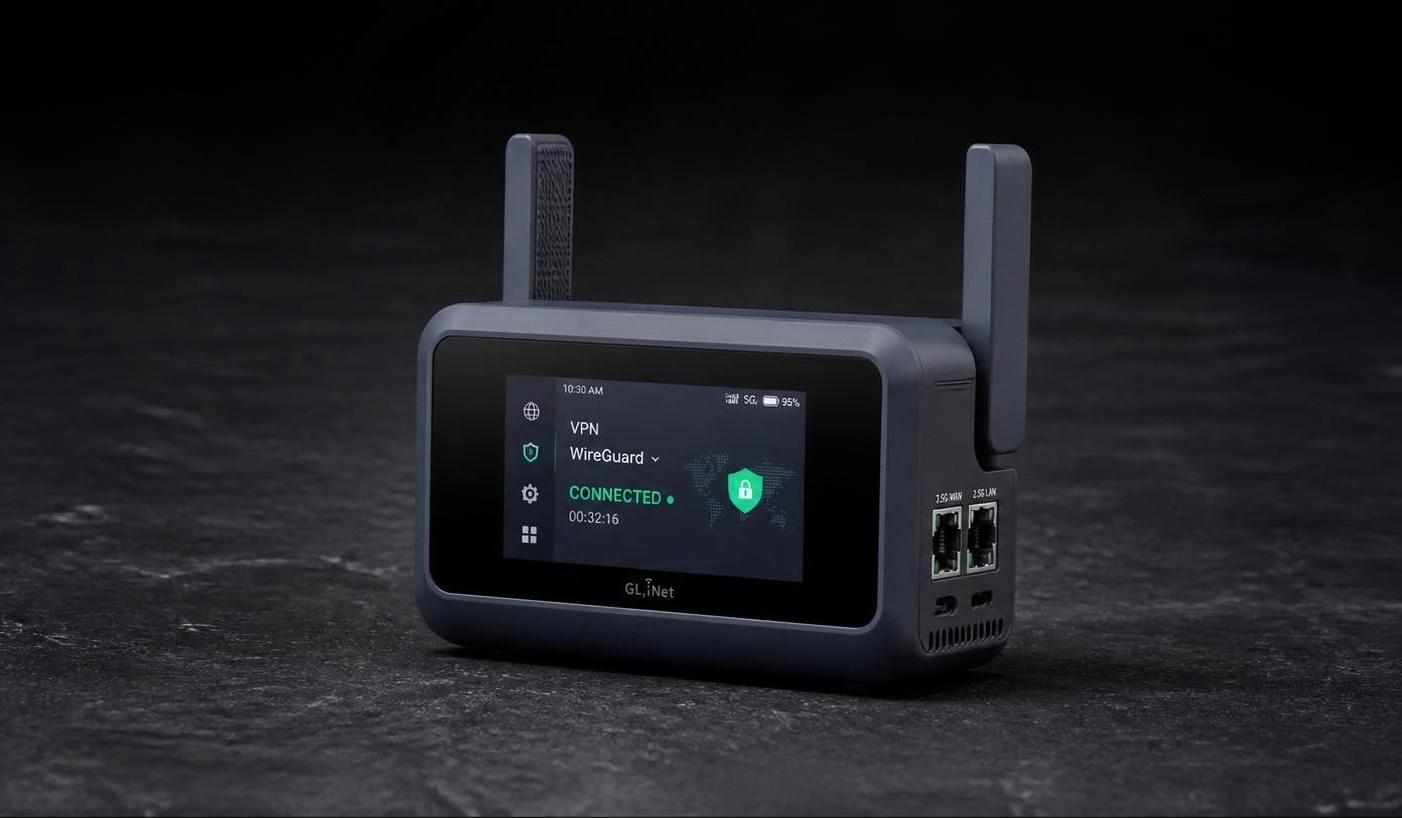
- Touchscreen for direct VPN status and network information
- 1 GB RAM — more headroom for concurrent services than the Beryl 7
- DPI built in
- OpenVPN-DCO up to 1,000 Mbps
Cons
- Second most expensive travel router in GL.iNet’s lineup, after the Mudi 7
- 6 GHz benefit limited to devices with a 6 GHz radio
- No built-in battery
- Heavier than the Beryl 7 and Slate 7
Getting started
These steps assume a new or reset router on firmware 4.8. Already set up? Start at step 5.
- Connect the Slate 7 Pro to a power outlet with the included USB-C PD adapter; it starts automatically
- Connect your laptop or phone to its Wi-Fi network (default name and password are on the router’s label) or LAN port
- Open the admin panel at
192.168.8.1 - Choose a language, set an admin password, then set the Wi-Fi name and password
- Connect to the internet: an Ethernet cable in the WAN port, or tap Repeater on the touchscreen and pick a Wi-Fi network
- Add your VPN under VPN → WireGuard Client: log in to a built-in provider, or use Add Manually with your provider’s configuration file
- Under VPN → VPN Dashboard, check in the tunnel options that Kill Switch is on (the firmware’s default for the Primary Tunnel), so traffic stops if the VPN drops. Then start the connection from the three-dot icon under WireGuard Client
- Optional: Network → DNS → Encrypted DNS encrypts your DNS (DNS over TLS or HTTPS); Applications → AdGuard Home filters it. With the VPN on, your custom DNS applies only if you turn on Allow Custom DNS to Override VPN DNS
After setup, the touchscreen shows VPN status and network speed without opening a browser.
Conclusion
The Slate 7 Pro has the fastest Wi-Fi in GL.iNet’s travel router lineup. The tri-band Wi-Fi 7 and higher WireGuard throughput compared to the Slate 7 are technically impressive. Whether that justifies the premium depends on your situation: if your devices have a 6 GHz radio and you regularly work on fast connections, the use case is clear. If you primarily use a travel router as a VPN tunnel on typical hotel networks, the Beryl 7 delivers the same VPN performance for less money.
Next step
Chosen the Slate 7 Pro?
- Set up a GL.iNet travel router — step by step: WireGuard, DNS-over-TLS, and AdGuard Home
Similar options
- GL.iNet Beryl 7 review — identical VPN throughput, lower weight, lower price — without touchscreen and 6 GHz
- GL.iNet Slate 7 review — dual-band sibling, lower price
- GL.iNet Mudi 7 review — battery, 5G and eSIM for use without a fixed power supply
Want to go further?
- Which network setup fits your profile? — how much router do you actually need?