AdGuard Home review — DNS ad blocker for your entire network
Who is this for? Anyone with a home server, NAS or Raspberry Pi who wants to block ads and trackers for the entire network. Also runs directly on GL.iNet routers — see the GL.iNet setup guide. Pi-hole is the most widely used alternative.
AdGuard Home review
Who is this for? Anyone with a home server, NAS or Raspberry Pi who wants to block ads and trackers for the entire network. Also runs directly on GL.iNet routers — see the GL.iNet setup guide. Pi-hole is the most widely used alternative.
AdGuard Home is a self-hosted DNS server that blocks ads, trackers and malware domains before they reach your devices. One installation protects everything on your network — smart TVs, gaming consoles, phones, laptops — without configuration per device.
How DNS blocking works
When your browser wants to load ads.google.com, it first asks the DNS server: “What is the IP address of ads.google.com?” AdGuard Home intercepts that question. If the domain is on a blocklist, AdGuard Home responds: “That domain doesn’t exist.” The browser doesn’t load the ad — no connection was ever made.
This works for every device using your AdGuard Home as a DNS server. No browser extension needed, no per-app configuration.
Specifications
| Property | Value |
|---|---|
| Type | Self-hosted DNS sinkhole |
| Blocklists | Multiple — OISD, Hagezi, Steven Black, AdGuard, etc. |
| Upstream DNS | Any DNS provider (Quad9, Cloudflare, Mullvad DNS, etc.) |
| DNS-over-HTTPS | Yes |
| DNS-over-TLS | Yes |
| Per-client rules | Yes — different rules per device |
| Statistics | Yes — built-in dashboard |
| Platforms | Linux, macOS, Windows, ARM (Raspberry Pi, GL.iNet) |
| Open-source | Yes (GPLv3) |
| Price | Free |
GL.iNet integration — built-in
GL.iNet routers (Flint 2, Beryl AX, Slate AX) have AdGuard Home built into the firmware. Nothing to install separately — activate it via the GL.iNet web interface with one click.
After activation, all DNS requests from all connected devices are automatically filtered. See the GL.iNet setup guide for step-by-step activation.
Self-hosting — Raspberry Pi or VPS
On other hardware, install AdGuard Home via the official install script (see adguard.com/adguard-home, or the source on GitHub):
curl -s -S -L https://raw.githubusercontent.com/AdguardTeam/AdGuardHome/master/scripts/install.sh | sh -s -- -v
After installation, configure your router to use AdGuard Home as the DNS server (192.168.x.x of the device it runs on). All network devices then automatically use AdGuard Home.
Dashboard and statistics
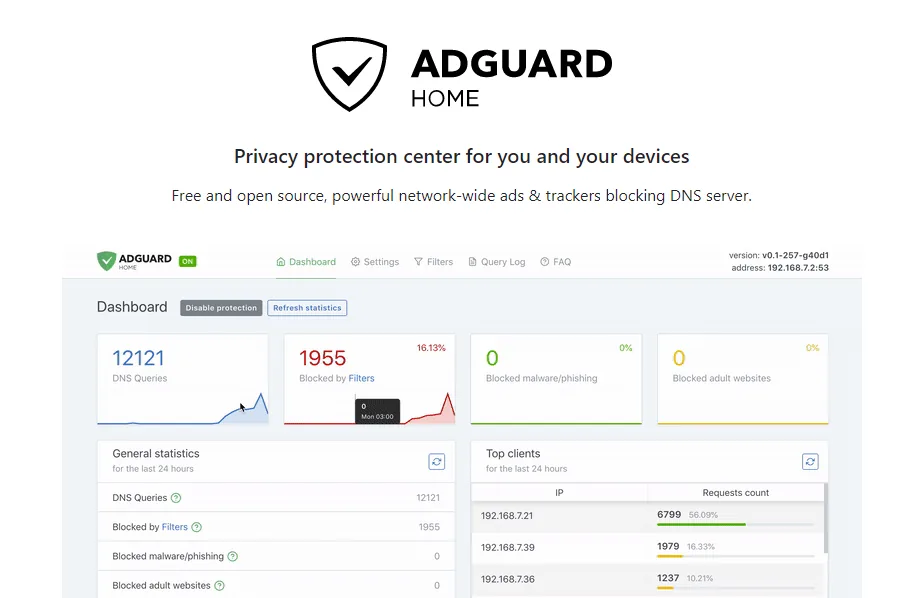
AdGuard Home has a built-in web interface showing:
- How many requests have been blocked
- Which domains are blocked most frequently
- Per device: how many requests, how many blocked
- Query log: every DNS request visible in real-time
This also makes visible which devices are unexpectedly sending traffic — a smart TV trying to contact tracker servers is immediately visible.
Upstream DNS configuration
AdGuard Home forwards requests for non-blocked domains to an upstream DNS provider. Choose a privacy-friendly one:
| Provider | DoT/DoH | No logging | DNSSEC |
|---|---|---|---|
| Quad9 (9.9.9.9) | Yes | Yes | Yes |
| Mullvad DNS | Yes | Yes | Yes |
| Cloudflare (1.1.1.1) | Yes | Limited | Yes |
| Google (8.8.8.8) | Yes | No | Yes |
For privacy-sensitive use, an independent privacy-friendly resolver is usually a better default than your ISP’s DNS.
AdGuard Home vs Pi-hole
| AdGuard Home | Pi-hole | |
|---|---|---|
| Installation | Simpler | Slightly more complex |
| Built-in DoH/DoT | Yes | Via extra configuration |
| Interface | More modern | Older but solid |
| Blocklist management | Simpler | Comparable |
| Reverse DNS | Yes | Yes |
| Community | Large | Larger (older project) |
| Open-source | GPLv3 | EUPL |
For new installations AdGuard Home is the recommended choice — simpler to configure and DoH/DoT built-in.
Caveats
DNS blocking is not watertight: Some ads and trackers use first-party domains (the same domain as the service itself) — those cannot be blocked without breaking the service itself. Combine with a browser extension like uBlock Origin for better coverage.
No HTTPS inspection: AdGuard Home only sees DNS requests, not the contents of HTTPS connections. That is also good — it would undermine encryption.
Availability during outage: If AdGuard Home goes offline, DNS stops working for clients that depend entirely on it. Think through your fallback or recovery plan in advance.
Pros and cons
Pros
- Blocks ads, trackers and malware domains for every device on the network without per-device configuration
- Built-in DoH/DoT upstream support out of the box — no extra configuration required
- Natively integrated into GL.iNet routers (Flint 2, Beryl AX) — one-click activation
- Per-client rules let you apply different blocking policies per device
- Real-time query log shows exactly which devices are contacting which domains
Cons
- Cannot block first-party tracking domains without breaking the service — requires uBlock Origin for full coverage
- If AdGuard Home goes offline, DNS may stop working for clients that fully depend on it
- Sees all DNS queries from all devices — adds a local single point of trust
Conclusion
AdGuard Home is the most effective free measure for privacy at network level. One installation on your router or Raspberry Pi protects every device without configuration. Combined with a privacy-friendly upstream DNS provider (Quad9, Mullvad), you block a significant portion of tracking and advertising traffic before it reaches your network.
Getting started
On a GL.iNet router (simplest)
Open the GL.iNet web interface at 192.168.8.1. Navigate to Applications → AdGuard Home and click Enable. AdGuard Home will then filter all DNS requests from connected devices.
On Raspberry Pi or other Linux host
Run the install script:
curl -s -S -L https://raw.githubusercontent.com/AdguardTeam/AdGuardHome/master/scripts/install.sh | sh -s -- -v
Then configure your router to use AdGuard Home as the DNS server (the host’s IP address). All network devices will use it automatically.
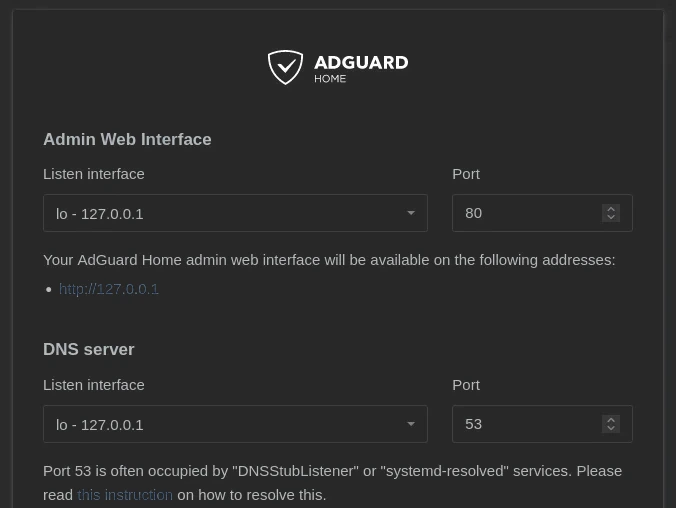
During the setup wizard, you first set the port for the admin interface and the port the DNS server listens on (default 53 — if that’s already taken by systemd-resolved, the wizard offers its own fix for that).
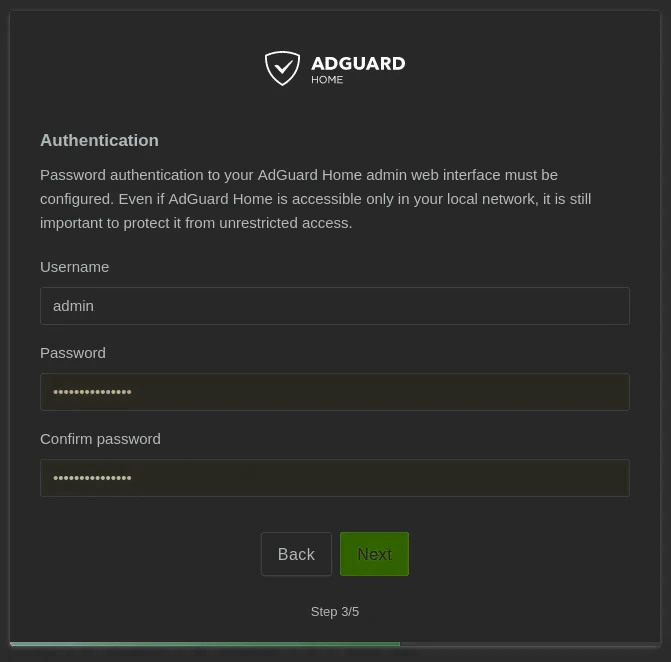
Next you set a username and password for the admin interface — required, even if AdGuard Home is only reachable on your local network.
Set upstream DNS
Open the AdGuard Home web interface (default port 3000 on first setup). Go to Settings → DNS settings and configure a privacy-friendly upstream — Quad9 (tls://dns.quad9.net) or Mullvad DNS via DNS-over-TLS.
Next step
Chosen AdGuard Home?
- Setting up a GL.iNet travel router — activating AdGuard Home on GL.iNet Flint 2, Beryl AX or Slate 7
Similar options
- Pi-hole review — proven alternative with a larger community and more extensive documentation
Want to go further?
- Which network setup fits your profile? — DNS blocking as part of your overall network security