Which network setup fits your profile?
Your router is the door to your network. Everything you do at home or in the office — browsing, banking, storing crypto, working — passes through it. Yet most people spend more attention on the lock on their front door than on their network security.
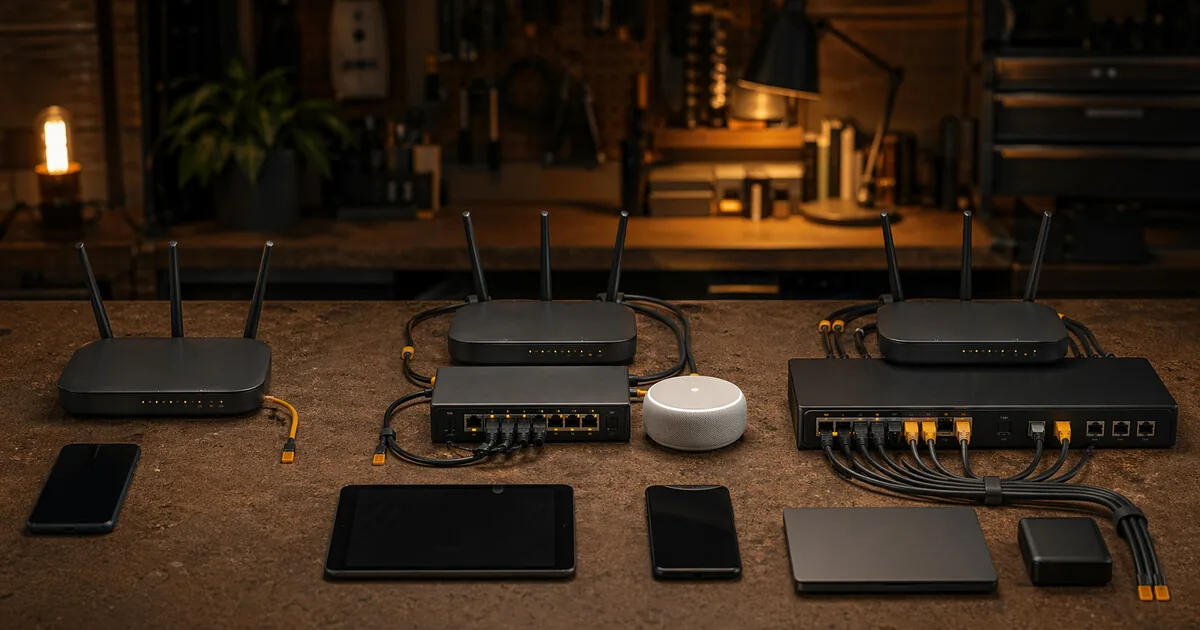
Which network setup fits your profile?
Your router is the door to your network. Everything you do at home or in the office — browsing, banking, storing crypto, working — passes through it. Yet most people spend more attention on the lock on their front door than on their network security.
This article explains what’s available, from free settings on your existing router to enterprise hardware for high-risk situations. Not to sell you everything — but to give you the full picture.
Use this guide as base profile + situation:
- low-friction normal user
- balanced privacy-aware
- professional handling sensitive data
- higher-risk user
Situations like student/employee or small business are not separate base profiles — they are contexts layered on top of the base.
Who this guide is for
This guide is for people who are asking:
- whether their current router is already good enough
- when OpenWrt, GL.iNet, Firewalla, or OPNsense actually make sense
- how far to go before network gear becomes more work than value
It is most useful for readers who already have their device basics in place and want to decide whether network hardening is the next logical layer.
What you gain, and what it costs
What you gain:
- a clearer match between your threat profile and the right level of network complexity
- less chance of buying hardware that solves the wrong problem
- a realistic view of maintenance burden, not just features
What it costs:
- you need to be honest about your technical skill and willingness to maintain the setup
- stronger network setups usually mean more troubleshooting, updates, and configuration time
- the most advanced options are not worth much if your account and device hygiene are still weak
When this is overkill
If your passwords, 2FA, device updates, and phone/browser settings are still weak, router hardware is probably not your first bottleneck. Fix the basics first, then decide whether your network setup is actually the limiting factor.
Step one: check your existing router
Before buying anything: check whether your current router already supports better firmware.
Go to openwrt.org/toh and search for your router model. If it’s listed, you can install OpenWrt — free, powerful, no new hardware needed.
Only buy new hardware if your current router isn’t supported or is too old to be worth upgrading.
Level 1 — Regular user
Profile: normal-user / basic
You have a standard router from your provider. You have no particular risks — you just want things to work without everything leaking to advertising companies.
What you can do without buying hardware:
- Change the default admin password on your router (it’s probably on a sticker right now)
- Switch DNS to a privacy-friendly resolver: 1.1.1.1 (Cloudflare) or 9.9.9.9 (Quad9)
- Disable UPnP if you don’t need it — it automatically opens ports
- Update your router firmware if an update is available
If your router supports OpenWrt:
Installing OpenWrt gives you DNS-over-TLS, a built-in adblocker (AdGuard Home or Pi-hole), a VPN client at router level, and full control over what your network does. Free, but requires some technical knowledge.
Adoption friction: low for password, firmware, and DNS; medium to high for OpenWrt.
Maintenance burden: low for basic settings; medium for custom firmware.
Overkill when: your main goal is less tracking and your existing router with updated DNS and firmware is already enough.
Level 2 — Privacy-conscious / De-Google
Profile: privacy-conscious / de-google
You want to get away from Google and other big trackers — including at the network level. You want DNS filtering, VPN on the router so all devices are protected, and visibility into what your network is doing.
Hardware: GL.iNet travel router or home router
GL.iNet makes routers with OpenWrt pre-installed. No manual flashing needed — OpenWrt is already on it, through a user-friendly interface.
| Model | Price (approx — check current) | Use |
|---|---|---|
| GL.iNet Beryl 7 (GL-MT3600BE) | ~€130 / $140 | Travel or home, Wi-Fi 7, fastest VPN in the travel line (~1,100 Mbps WireGuard) |
| GL.iNet Slate 7 (GL-BE3600) | ~€150 / $160 | Travel, Wi-Fi 7, touchscreen VPN status |
| GL.iNet Flint 3 (GL-BE9300) | ~€210 / $230 | Home, Wi-Fi 7, five 2.5G ports |
The older Wi-Fi 6 models are still sold and cheaper if Wi-Fi 6 is enough: Beryl AX (GL-MT3000, ~€80 / $99) and Flint 2 (GL-MT6000, ~€110 / $150).
What you can do with it:
- Set up a VPN client on the router (all devices automatically route through VPN)
- AdGuard Home or Pi-hole for DNS filtering (ads and trackers blocked)
- DNS-over-TLS for encrypted DNS traffic
- Guest network fully separated from your main network
ASUS router at home? Look at Asuswrt-Merlin. This is enhanced firmware for ASUS routers — installed like a normal firmware update. No full OpenWrt knowledge needed. Offers DNS-over-TLS, kill switch, VPN client and DNSSEC.
Works well on the Wi-Fi 6 RT-AX86U, RT-AX88U and RT-AX68U; newer Wi-Fi 7 RT-BE models are gaining Merlin support too — check the supported-models list before buying.
Adoption friction: medium. Still achievable, but only worth doing if you also want to keep it up.
Maintenance burden: medium. Router updates, DNS management, and VPN troubleshooting remain your responsibility.
Overkill when: you mainly want safer browsing or less tracking on your phone and laptop. Start with device-level DNS and account hygiene, not router hardware.
Level 3 — Small business owner
Profile: small-business
You work from home or have a small office. You have customer data, financial information or sensitive business communication on your network. A breach isn’t just a privacy problem — it can cause business damage.
Hardware: Firewalla or GL.iNet home router with OPNsense-like settings
Firewalla Gold SE / Purple
Firewalla is a plug-and-play firewall box — you plug it in behind your existing router. No technical knowledge needed, managed via an app.
| Model | Price | Suitable for |
|---|---|---|
| Firewalla Purple | ~€350 / $369 (gigabit; Purple SE, no built-in Wi-Fi and capped at ~500 Mbps, is cheaper at ~€220 / $220–280) | Home use |
| Firewalla Gold SE | $519 / ~€500–600 all-in — no EU warehouse, so EU buyers add VAT and handling on top (see the review) | Small office, more ports |
What you get: real-time network monitoring, block devices by category, VPN server so you can connect securely from the office or while traveling, alerts for suspicious traffic.
Advantage: works immediately, no CLI knowledge needed. Disadvantage: closed platform, you depend on the company for updates.
Adoption friction: medium. Spending money is often more acceptable here than a weekend of network engineering.
Maintenance burden: low to medium. Lower than OPNsense, but still an extra system to manage.
Overkill when: you do not yet have clear work/device separation or are primarily a sole trader with no particular network requirements. In that case, device discipline, backups, and account security come first.
Level 4 — Advanced / Journalist / Activist
Profile: journalist-activist / advanced
You have a real risk of targeted attacks. You want maximum control and transparency over your network — no black boxes, no cloud dependency, open-source all the way down.
Hardware: Protectli Vault or mini-PC with OPNsense
A Protectli Vault is a small, fanless mini-PC with multiple network ports. You install OPNsense or pfSense on it — fully open-source firewall software.
| Option | Price | Ports |
|---|---|---|
| Protectli V1410 | ~€270 / $249 | 4× 2.5GbE, Intel N5105 — the current entry model (the older FW4B / FW6 lines are end-of-sale) |
| Protectli VP2440e | ~€420 / ~$390 (no confirmed US list price) | 2× 10GbE SFP+ + 2× 2.5GbE, for 10G networks — see the Protectli Vault review |
| Topton / CWWK N100 | ~€100–150 / $100–150 (AliExpress marketplace — no fixed list price in either currency) | 4–6 ports, flash yourself |
OPNsense is the recommended platform: open-source, actively maintained, frequent security updates (two feature releases a year plus regular point releases in between).
What you can do with it:
- Intrusion Detection/Prevention (Suricata)
- VPN server (WireGuard or OpenVPN)
- Network segmentation (VLANs — IoT devices separated from your work computer)
- DNS filtering at network level
- Full logs of all network traffic
Difficulty: high. Expect a learning curve of several weekends.
Maintenance burden: high. This is only responsible if you can actually manage the system without downtime or carelessness.
Overkill when: your risk mainly sits at the device, account, or behaviour level and your network knowledge is limited. In that case, a better device and communication plan often delivers more than a heavy firewall.
Level 5 — High risk / Maximum
Profile: high-risk / maximum
You work with extremely sensitive information. You want professional hardware, professional support, and a system used by security professionals.
Hardware: Deciso DEC series
Deciso is a Dutch company from Middelburg that develops OPNsense and makes the official hardware for it. The DEC series is aimed at professional and continuous-operation use, where support and a long lifecycle matter.
| Model | Price | Suitable for |
|---|---|---|
| DEC740 | ~€700 (sold via the OPNsense shop / resellers; includes 1 year Business Edition) | Fanless desktop, 6× 2.5GbE — small organisation or high-risk home use |
| DEC840 / DEC850 | ~€1,300+ | Fanless desktop, higher throughput — medium-sized organisation |
Advantages: plug-and-play OPNsense (fully configured), Dutch support, hardware and software from one party, long lifecycle.
Not in the shop — but if you’re at this level, it’s the honest recommendation.
Adoption friction: high in cost, lower in technical friction than self-build.
Maintenance burden: medium to high, but with better professional support available.
Overkill when: you have no concrete operational reason for professional firewall hardware or the rest of your security model is not yet at that level.
Overview by profile
| Profile | Hardware | Approach | Cost |
|---|---|---|---|
| Regular user | Existing router | Change DNS, router password | €0 / $0 |
| Privacy-conscious | GL.iNet or existing router + OpenWrt | VPN on router, DNS filtering | €0–€210 / $0–$230 |
| Student / employee | GL.iNet + VPN subscription | VPN always on, guest network | €90–€150 / $100–$160 |
| Small business | Firewalla Gold SE or GL.iNet Flint 3 | Monitoring, VPN server, segmentation | €200–€600 / $220–$630 |
| Journalist / activist | Protectli + OPNsense | IDS/IPS, VLANs, full control | €120–€450 / $120–$450 |
| High risk | Deciso DEC series | Professional hardware + support | €700+ |
Which firmware fits you?
If you want to flash hardware yourself or already have a supported router:
| Firmware | Best for | Difficulty |
|---|---|---|
| Asuswrt-Merlin | ASUS home routers | Low — normal firmware update |
| OpenWrt | Wide device support | Medium — CLI knowledge helpful |
| DD-WRT | Older routers | Medium — less active than OpenWrt |
| FreshTomato | Older Broadcom routers | Medium — best interface of the three |
| OPNsense / pfSense | x86 hardware (mini-PC) | High — full firewall OS |
| VyOS | x86, complex networks | High — BGP, OSPF, datacenter level |
| MikroTik RouterOS | MikroTik hardware | High — popular with ISPs and datacenters |
Always check your current router first at openwrt.org/toh before buying anything new.
Conclusion
There’s no universal answer to “which router should I get”. It depends on your profile, your technical knowledge, and your budget.
What applies to everyone: changing the default password on your router and switching DNS to a privacy-friendly resolver costs nothing and delivers immediate results.
Build from there as your risk level demands.
Next step
Go further
- Privacy DNS guide — lowest-friction step with immediate gain if you are not ready for a bigger network project
- Network security for crypto holders — specific guidance for crypto holders
Reviews
- Firewalla Gold review — plug-and-play firewall
- GL.iNet Beryl 7 review — Wi-Fi 7 travel router, fast VPN
- GL.iNet Slate 7 review — Wi-Fi 7 travel router with touchscreen
- GL.iNet Brume 2 review — VPN gateway without Wi-Fi
- GL.iNet Brume 3 review — VPN gateway with 1,100 Mbps WireGuard
- GL.iNet Flint 3 review — Wi-Fi 7 home router
- Protectli Vault review — OPNsense hardware