F-Droid review — the open-source app store for Android
F-Droid is a community-run app store for Android that offers only free and open-source apps, builds them from source itself and flags tracking and ads, with no account and no proprietary ad libraries.
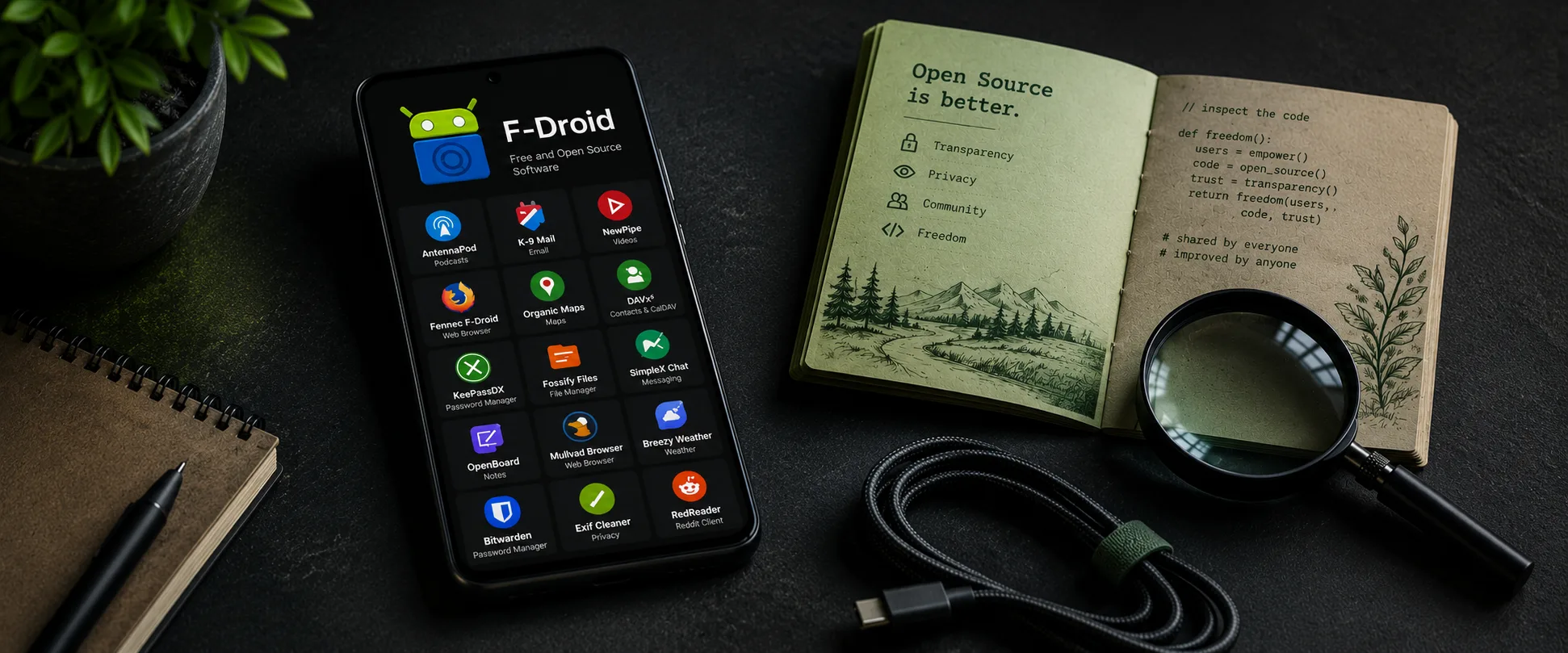
F-Droid review
F-Droid is a community-run app store for Android that offers only free and open-source apps, builds them from source itself and flags tracking and ads, with no account and no proprietary ad libraries.
Who is this for? Android users who want to make deliberate choices about which app sources they trust. F-Droid is not a direct replacement for Google Play, but a complement or alternative for anyone who values open-source apps and transparent distribution.
F-Droid has existed since 2010. By its own account it is made by volunteers, with a board for oversight and The Commons Conservancy as its legal home; grants (NLnet, the Open Technology Fund and others) paid for work on 2.0, and donations cover things like servers and coordination. It is set up as not-for-profit, so there is no company behind it profiting from your usage data. The app store offers only free and open-source software (FOSS), with no proprietary ad or tracking libraries. An app with ads can be listed if its ads don’t rely on proprietary code, but F-Droid then marks it with an “Ads” Anti-Feature: 38 apps in November 2026, under 1% of the repo.
What makes F-Droid different
The fundamental difference from Google Play: F-Droid does not blindly trust the app developer. Rather than simply distributing the developer’s APK, F-Droid builds apps from source code itself. Where it does ship the developer’s APK, that is only after its own build matched it byte for byte (a reproducible build).
| F-Droid | Google Play | Aurora Store | Obtainium | |
|---|---|---|---|---|
| Open-source only | Yes | No | No | Depends on source |
| Rebuilds apps from source | Yes | No | No | No |
| Tracker scan | Yes — result shown as Anti-Features | No | No (shows Exodus Privacy reports) | No |
| Google account required | No | Yes | No (anonymous Play account) | No |
| Reproducible builds | Partial | No | No | Depends on source |
| Update speed | Slower | Fast | Fast (straight from Play) | Fast (direct from GitHub/etc.) |
| App selection | ~4,950 (official) + extra repos | Millions | Millions (Play catalogue) | Unlimited (GitHub, GitLab, etc.) |
Aurora Store is an anonymous Google Play client — you get the same apps as from Play without signing in with your Google account. The security model differs from F-Droid: Aurora downloads whatever Play offers straight from Play, including closed-source apps.
Obtainium fetches apps directly from GitHub, GitLab, or the developer’s own download page. Fast updates, but no central review or tracker scan.
F-Droid 2.0: the client got a rebuild
On 24 September 2026 F-Droid started rolling out version 2.0, a complete redesign with key parts rewritten and, by its own account, its largest app update in ten years. As of 13 November 2026 a new download from f-droid.org is 2.0.2, F-Droid Basic users get 2.0.3, and existing installs of the full F-Droid app stay on 1.23.2 until 2.0 is released for everybody, unless they opted into beta updates (F-Droid, 16 October). The distribution model above doesn’t change; the app you use does:
- Three tabs — Discover, Search, My apps; Repositories and Settings are icons in the top bar, Nearby is in the ⋮ menu.
- Automatic updates on by default — daily, on Wi-Fi, while the phone is idle (configurable, including “never”).
- Wider search — descriptions, categories and translations are searched too, with filters for category, repository and anti-features.
- Android 7+ required — Android 6 is dropped.
Not (yet) in 2.0: the panic-trigger option to wipe apps, support for the F-Droid Privileged Extension, and Tor auto-detection (F-Droid now points to a system-wide Tor VPN app instead). The first matters most for higher-risk users; F-Droid says users who rely on it can postpone the update. App hiding was also simplified: it now only changes the icon and name, and F-Droid stays visible in Android’s app settings and to forensic inspection. F-Droid says the Open Technology Fund’s Security Lab and Convocation reviewed 2.0 independently; the report isn’t published yet.
The security model
F-Droid’s core promise is that every app’s source code is public and that it builds from that source, publishing source tarballs and build logs with the apps. That doesn’t remove trust, but it makes the trust checkable: a change in the source can be inspected by anyone, though someone still has to read it, and you still trust F-Droid’s builds.
Where the model is strong:
- Proprietary tracking and ad libraries are forbidden and checked for at review and build; tracking in open-source code stays possible and gets flagged per app.
- Anti-Features make the rest visible: F-Droid labels per app what you might not want (ads, tracking, non-free network services, non-free dependencies and more), each with an explanation, and its search can filter on them. F-Droid keeps a public list of apps per Anti-Feature.
- F-Droid signs the apps it builds, by default with a separate key per app on an offline, air-gapped machine; for apps with reproducible builds it can publish the developer-signed APK instead, once its own build matched it.
- App verification is possible through Reproducible Builds: F-Droid’s build and the developer’s build must match byte for byte. Only part of F-Droid’s repo is reproducible.
Where the model is weaker than Play:
- F-Droid’s build and signing are a trust point. If that infrastructure were compromised, you trusted something you should not have. Google’s Play infrastructure is larger but not immune either.
- F-Droid builds apps centrally, which creates a bottleneck. Apps usually arrive later than on Play, and IzzyOnDroid, which picks up developers’ releases with an automatic script, can have them sooner.
- F-Droid calls itself a small community project that you use at your own risk, and says new apps wait in a huge review backlog.
- Independent critics go further: PrivSec (updated October 2026) objects that F-Droid controls both build and signing for most apps, that updates are far slower, and that F-Droid sets no minimum target SDK. Its point about the client’s old target SDK is out of date: the 2.0.3 source targets Android 17.
Update lag: the practical trade-off
F-Droid builds apps from source, and that takes time. Updates from F-Droid often arrive later than the Play Store version; F-Droid gives no figure, and it varies per app. For security updates, that is a real disadvantage. Since 2.0, at least the installing is automatic — the lag is in F-Droid’s build pipeline, not in your maintenance effort.
How to reduce this:
- Use Obtainium for apps where update speed is critical and you trust the developer directly.
- Add IzzyOnDroid as an extra repo — it distributes apps closer to the developer’s release cycle.
- For apps that aren’t time-critical, such as Aegis and Organic Maps, F-Droid is usually fast enough (our view). Browsers and messengers are where the lag matters most.
Google’s developer-verification policy
Google announced in August 2025 that apps installed on certified Android devices — including sideloaded apps — must come from a developer registered with Google. A full account means a government ID, a $25 fee and registering the app’s signing key; a limited account (up to 20 devices) needs neither ID nor fee. Enforcement began on 30 September 2026, but only for installs from Google Play and six phone makers’ app stores (Samsung, Xiaomi, OPPO, vivo, HONOR, Transsion) in Brazil, Indonesia, Singapore, and Thailand; F-Droid isn’t on that list. Google says it will extend the check to all apps on certified Android devices in 2027. Users can still install unregistered apps through a one-time advanced flow with a 24-hour wait, or with ADB.
F-Droid says this would end the project as we know it. It builds publicly available source from many developers and by default signs with its own per-app key. It can’t require those developers to register with Google, and it can’t “take over” their app identifiers. F-Droid signed an open letter against the policy in February 2026, and the keepandroidopen.org coalition (F-Droid, EFF, FSF, KDE, Nextcloud, Brave and dozens of other organisations) is campaigning against it.
On Android versions without Google certification, such as GrapheneOS, the install check doesn’t apply, by Google’s own wording. On certified Android, F-Droid installs fall within it once the check reaches all apps; in July 2026 F-Droid said it didn’t yet know what would happen to apps already installed. The risk to the project itself is shared: if the policy shrinks F-Droid or ends it, as F-Droid warns, users of uncertified systems lose it too (our inference).
Getting started
Installing F-Droid
F-Droid is not available on Google Play. You install it as an APK. Already have F-Droid? Skip this.
- Go to f-droid.org and download the APK
- Optional: verify the file first, see below
- Open the file on your phone — Android will ask for confirmation to install from an unknown source
- Install F-Droid
Android, GrapheneOS included, only lets an app install other apps if you allow it: when you open the APK, Android offers to take you to the setting for your browser or file manager (Settings → Apps → Special app access → Install unknown apps → Allow from this source). F-Droid later asks for the same permission the first time it installs an app. With Google’s Advanced Protection on (Android 16+), Android blocks installs from unknown sources and updates to apps installed that way, so F-Droid and its apps can then be neither installed nor updated.
Optional: verify the APK signature before you install
f-droid.org gives a PGP signature (F-Droid.apk.asc) rather than a hash. On a computer with GnuPG, with both files downloaded, per F-Droid’s instructions:
gpg --keyserver keyserver.ubuntu.com --recv-key 37D2C98789D8311948394E3E41E7044E1DBA2E89
gpg --verify F-Droid.apk.asc F-Droid.apk
Look for “Good signature from F-Droid admin@f-droid.org” and the primary key fingerprint 37D2 C987 89D8 3119 4839 4E3E 41E7 044E 1DBA 2E89. The warning that the key isn’t certified with a trusted signature is normal. Then copy that same file to your phone.
Useful extra repositories
Easiest: open the repo’s website on your phone and tap the repo link shown there, with the fingerprint in it (or scan its QR code). By hand in F-Droid 2.0: on Discover tap the Repositories icon in the top bar → + (New repository) → Enter repository URL manually → Add, check the preview, Add repository (F-Droid 1.x: Settings → Repositories → +). Use the address with its fingerprint, as each project publishes it:
- IzzyOnDroid — more apps, faster updates, well-maintained:
https://apt.izzysoft.de/fdroid/repo?fingerprint=3BF0D6ABFEAE2F401707B6D966BE743BF0EEE49C2561B9BA39073711F628937A - Molly — if you already use the Signal fork Molly:
https://molly.im/fdroid/repo?fingerprint=3B7E93B1FE32C6E35A93D6DDFC5AFBEB1239A7C6EA6AF20FF33ED53CDC38B04A(Molly is on hold for new users since 19 October 2026) - Guardian Project — Tor Browser for Android and related tools:
https://guardianproject.info/fdroid/repo?fingerprint=B7C2EEFD8DAC7806AF67DFCD92EB18126BC08312A7F2D6F3862E46013C7A6135
What to install first
- Aegis Authenticator — 2FA codes, encrypted local backup
- Organic Maps — offline navigation without an account
- KeePassDX — local password manager in KeePass format
- NetGuard — no-root firewall, blocks internet access per app
Caveats
Popular apps are not there. Instagram, TikTok, banking apps, and most commercial apps are not open-source and therefore not available through F-Droid.
Apps requiring Google Play Services. F-Droid’s repo doesn’t accept apps that require Play Services or Firebase. Apps like that need Google Play; on GrapheneOS you can run sandboxed Google Play separately.
Less polished than Play. F-Droid 2.0 redesigned the old client’s navigation and search, but app pages remain more technical in tone and many of the apps themselves are less polished than commercial ones (our view; we haven’t run 2.0 on a device).
Updates usually arrive later. See the update lag section above. This is a real disadvantage for security-sensitive software.
Google’s developer-verification policy. Enforcement started on 30 September 2026 for a few app stores in four countries, with all apps on certified Android to follow in 2027, and F-Droid says it would end the project as we know it. On Android versions without Google certification, such as GrapheneOS, the install check doesn’t apply.
Pros and cons
Pros
- Open-source apps only — public source, no proprietary trackers or ad libraries
- Anti-Features per app (ads, tracking, non-free services) publicly visible
- No Google account needed
- F-Droid builds apps from source itself: the APK comes from the published code, not from the developer’s own machine
- Reproducible Builds support, for part of the repo
- Free and not-for-profit
- Since 2.0: redesigned interface and automatic updates by default
Cons
- Fewer apps than the Play Store — closed-source commercial apps are absent
- Updates usually arrive later than Play, Obtainium or IzzyOnDroid
- Small community project with a long review backlog, by its own account
- Google’s developer-verification policy (all apps on certified Android from 2027, per Google) is, F-Droid says, a threat to the project itself
- App pages and many apps still less polished than Play
- 2.0 (for now) lacks panic-wipe and Privileged Extension support
Conclusion
F-Droid is one of the most transparent ways to install apps on Android. The combination of open-source requirement, a ban on proprietary trackers and its own build infrastructure makes checkable what the Play Store mostly asks you to take on trust. IzzyOnDroid goes a step further on one point: it publishes its scan results per app.
The trade-off is real: fewer apps, slower updates, and not the best choice if you need banking or government apps to stay frictionless. For a privacy-conscious baseline — 2FA, password manager, maps — you can get what you need here.
Choose F-Droid if you want to deliberately install open-source apps and accept that it takes some active management. Use it alongside Play or sandboxed Google Play rather than as a full replacement.
Next step
If you chose F-Droid
- F-Droid guide — setting up repositories, recommended apps, and what to expect
Similar options
- Aurora Store review — download Play apps without a Google account
- IzzyOnDroid review — an independent F-Droid-compatible repo with about 1,400 apps, faster updates and per-app scan results
- Obtainium review — apps directly from the developer, faster than F-Droid
- Aegis Authenticator review — the recommended 2FA app, available via F-Droid
- Signal and Molly review — Molly as a hardened Signal fork, via the Molly F-Droid repo
Go further
- Android privacy without a custom ROM — broader baseline settings for stock Android users
- GrapheneOS first setup — F-Droid on GrapheneOS, sandboxed Google Play and app isolation