WhatsApp and privacy: what the lock actually protects
WhatsApp uses real end-to-end encryption. That is not a marketing story — the protocol is open, published and reviewed by independent cryptographers. Message content is encrypted on your device and only decrypted on the recipient’s device. WhatsApp’s servers do not see the content.
WhatsApp and privacy: what the lock actually protects
WhatsApp uses real end-to-end encryption. That is not a marketing story — the protocol is open, published and reviewed by independent cryptographers. Message content is encrypted on your device and only decrypted on the recipient’s device. WhatsApp’s servers do not see the content.
That is the good news.
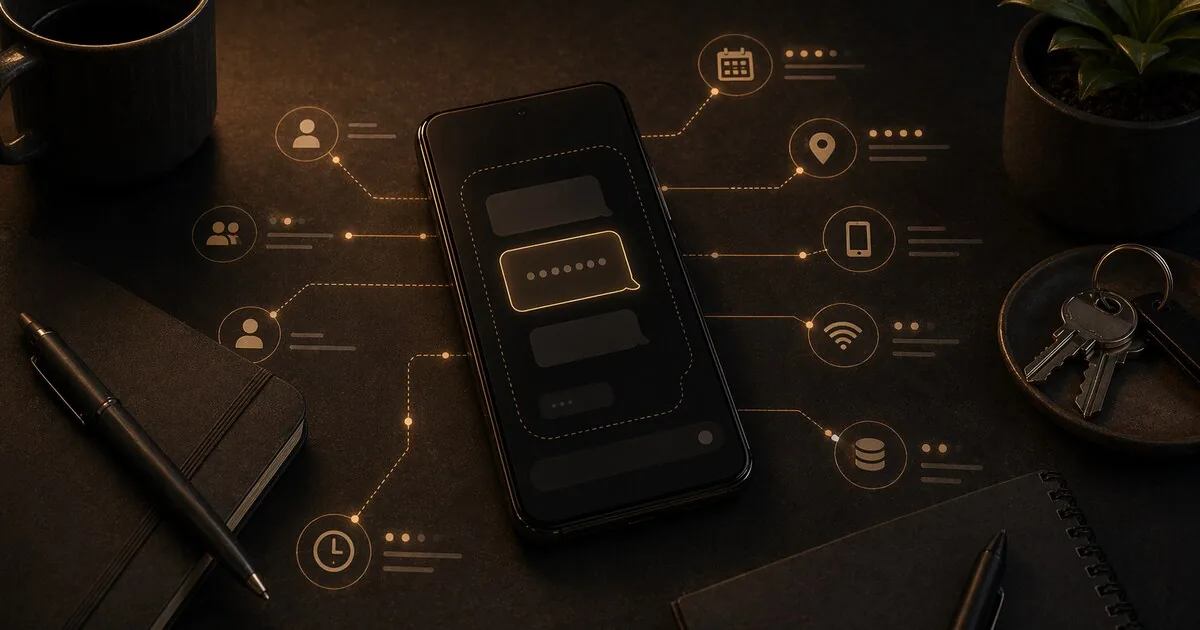
The bad news is that message content is only a small part of what you can know about someone. And the rest — the metadata — is fully visible to WhatsApp and Meta.
Who this guide is for
This guide is for readers who:
- use WhatsApp daily and want an honest privacy explanation, not slogans
- assume the lock icon means Meta learns almost nothing
- need to decide whether to keep WhatsApp, limit it, or move sensitive communication elsewhere
What you gain, and what it costs
What you gain:
- a clearer understanding of what WhatsApp encryption does and does not protect
- better judgment about backups, metadata, and business chats
- a more realistic basis for deciding where WhatsApp still fits in your life
What it costs:
- the honest answer is uncomfortable if you rely on WhatsApp heavily
- reducing WhatsApp use often creates social friction because everyone else is still there
- the best privacy alternative may be less convenient than staying put
When this is overkill
If you only use WhatsApp for low-stakes family logistics and understand the tradeoff, you may not need to treat it like an emergency. It becomes a bigger issue when WhatsApp is carrying sensitive work, health, legal, or relationship communication that really should live elsewhere.
How the encryption works
WhatsApp uses the Signal Protocol — the same protocol the Signal app itself uses. Every conversation has unique encryption keys. The keys are generated on your device and never leave it. WhatsApp servers relay messages but cannot read them.
This applies to:
- Personal conversations (1 to 1)
- Group conversations
- Voice and video calls
- Photos, videos and voice messages
The encryption is technically strong. That is not in dispute.
What the encryption does not protect
End-to-end encryption protects the content of messages. Everything around it — the metadata — is visible to WhatsApp.
What WhatsApp does see:
- Who you communicate with (phone numbers of all your contacts)
- When you send and receive messages (exact timestamps)
- How often you communicate with specific people
- Which groups you are in
- When you are online
- Your IP address — and thereby your approximate location
- Your device, operating system and app version
- How long your calls last
This is called metadata: data about communication rather than the content of it. It seems harmless, but it is not.
From metadata you can infer: who someone is in a relationship with, which doctor they call, whether they belong to a union, when they sleep, whether they are at home or travelling. Intelligence agencies have publicly defended for years that they “only collect metadata” — precisely because it already reveals so much.
WhatsApp shares this metadata with Meta. Facebook, Instagram and WhatsApp are the same company, and the data flows together.
Your backup is probably not encrypted
This is where most users go wrong.
WhatsApp saves a backup to Google Drive (Android) or iCloud (iOS). By default, that backup is not end-to-end encrypted. It is a regular file backup secured by Google or Apple — but not by you.
That means: if your Google account is hacked, your messages are exposed. If Google receives a court order, they can hand over the backup. WhatsApp’s encryption does not help here — it only protects messages in transit, not the copy sitting in the cloud.
How to enable encrypted backups
WhatsApp offers end-to-end encrypted backups as an option — but it is off by default.
Android: Settings → Chats → Chat backup → End-to-end encrypted backup
iOS: Settings → Chats → Chat backup → End-to-end encrypted backup
You set a password or use a passkey such as fingerprint, face unlock, or screen lock. The password belongs only to you, and WhatsApp cannot restore it. If you use a password and lose it, you lose the backup. With a passkey, recovery is tied to your device.
Enable this if you want to keep using the backup function.
Messages to businesses: no encryption
Do you use WhatsApp to contact a web shop, your bank or a delivery service? End-to-end encryption likely does not apply there.
Businesses use the WhatsApp Business API — a connection through Meta’s servers. Messages are encrypted in transit but decrypted by Meta’s Cloud API before reaching the business. Both Meta and the business itself can read those messages.
This is in the fine print. WhatsApp shows a notice on these conversations that messages “may be managed by the business and its partners”.
Keep this in mind when using WhatsApp for commercial communication.
Your phone number is your identity
There is no anonymous WhatsApp account. A phone number is still required to register, and Meta ties it to every message you send and every conversation you have.
Usernames (rolling out through 2026). WhatsApp began a phased rollout of optional usernames in April 2026, reaching the US by mid-year and widening from there. A username lets other people find you and message you without seeing your phone number, and there is a “username PIN” option to stop strangers guessing your handle. This closes part of the gap with Signal — but only the part that faces other users. Meta still knows your real number, still links it to your account, and still collects the metadata described above. The username hides your number from other people, not from Meta.
European users: extra protection via GDPR
Those living in the EU have more rights than users outside Europe.
For EU/EEA users, extra rules apply. Meta has connected WhatsApp to Accounts Center, the central place where you can optionally link WhatsApp with Facebook and Instagram. That linkage is not on by default; you have to add WhatsApp yourself if you want it.
That gives Europeans more protection than users elsewhere, but it is no longer automatic. You need to actively refuse that linkage if you do not want it. Metadata collection inside WhatsApp itself still continues regardless.
WhatsApp on GrapheneOS: what you can limit yourself
On a standard Android phone, you can set app permissions — deny location, deny contacts. That already helps. But GrapheneOS goes further than standard Android and gives you permission control per app at a level Google has never offered.
Location — turning it off has an effect, but not completely
Go to Settings → Apps → WhatsApp → Permissions → Location → Deny.
WhatsApp can no longer request GPS location. That prevents the app from knowing exactly where you are.
But: WhatsApp still knows your IP address, which reveals your approximate location at the city/region level. No GPS access does not mean invisible. If your IP address also needs to be hidden, use a VPN that stays connected while WhatsApp is active.
Contacts — limiting the contact graph
On stock Android you can only toggle contact access on or off. GrapheneOS has Contact Scopes: you choose per app exactly which contacts are visible.
Settings → Apps → WhatsApp → Permissions → Contacts → Enable Contact Scopes
You then manually select which names WhatsApp may see. The rest of your address book is invisible to the app — and therefore also not passed on to Meta’s servers.
Network — toggle internet per app
This does not exist on standard Android. GrapheneOS adds a network access toggle per app.
Settings → Apps → WhatsApp → Permissions → Network
You can completely cut WhatsApp off from the internet when you are not actively using it. No background connections, no polling to Meta’s servers when the app is closed.
Sensors — deny hidden data
GrapheneOS adds a sensors permission that standard Android does not have.
Settings → Apps → WhatsApp → Permissions → Sensors
This blocks access to the accelerometer, gyroscope and other motion sensors. Some apps use sensor patterns as an extra fingerprint to recognise how you hold your phone. With sensors disabled, that is not possible.
Microphone and camera — deny by default
- Settings → Apps → WhatsApp → Permissions → Microphone → Deny
- Settings → Apps → WhatsApp → Permissions → Camera → Deny
WhatsApp asks again when you actually start a call or video call. You then grant access temporarily and it falls away afterwards. An app that does not have default access to your microphone cannot activate it unexpectedly.
The remaining gap: IP address
Even after all the measures above, Meta still sees your IP address and therefore your rough location whenever WhatsApp is connected, and it still sees when the app is active.
If you also want to hide that, use a VPN that stays connected while WhatsApp is active. See the VPN comparison.
WhatsApp vs. Signal: the real difference
Signal uses the same encryption protocol as WhatsApp. The difference is in the metadata.
Signal has a feature called Sealed Sender: messages are sent in such a way that even Signal’s own servers do not know who is sending the message. They only see the recipient. The sender is hidden.
WhatsApp does not have this. WhatsApp servers always see both the sender and the recipient of every message.
Additionally, Signal collects virtually no data. The only things Signal knows about you: your phone number (for registration) and the time of your last connection. No contact lists, no device data, no usage patterns.
Signal is a non-profit organisation. It earns nothing from user data. Both apps now offer usernames so you can be reached without sharing your phone number (Signal since 2024, WhatsApp rolling out through 2026) — but that only hides the number from other users. Signal genuinely holds almost nothing; Meta still links your number to everything and its business model depends on advertising and understanding its users.
| Signal | ||
|---|---|---|
| Message content | Encrypted | Encrypted |
| Who communicates with whom | Visible to servers | Hidden (Sealed Sender) |
| Timestamps | Visible | Limited visibility |
| Contact graph | Collected | Not collected |
| IP address | Collected | Not stored |
| Owner | Meta (publicly traded) | Signal Foundation (non-profit) |
What does this mean for you?
WhatsApp is not insecure. The encryption works. For everyday conversations where the content is the only thing you want to protect, WhatsApp does that.
But if you want no one to know who you communicate with, how often and when — WhatsApp is not the right tool. Meta knows that. That is the business model.
For those situations, Signal is the logical choice. Same encryption, far less metadata, no advertising company in the background.
Extra note for lawyers and notaries: metadata patterns (who you call, when, how often) can expose the attorney-client relationship — even if the content stays encrypted. That is not just a privacy issue, it can create legal liability. Signal is the logical replacement here; for situations where even your phone number must stay hidden, see SimpleX Chat. See also: Profile: confidential roles and public office.
The first step is knowing what is and is not protected. After that, you make a conscious choice.
Next step
Alternatives
- Signal setup guide — the most privacy-friendly everyday alternative
- SimpleX Chat guide — if you do not want to share your phone number either
Profiles
- Profile: family and children — digital safety for the family
- Profile: confidential roles and public office — extra risks for lawyers and notaries
Reviews
- Signal and Molly review — a more privacy-friendly everyday alternative
- Matrix and Element review — decentralised alternative for teams