Matrix and Element review — decentralised messaging
Who is this for? Teams and communities that want decentralised communication without depending on one company — or anyone who wants to run their own server. For personal use, Signal is the more practical first choice.
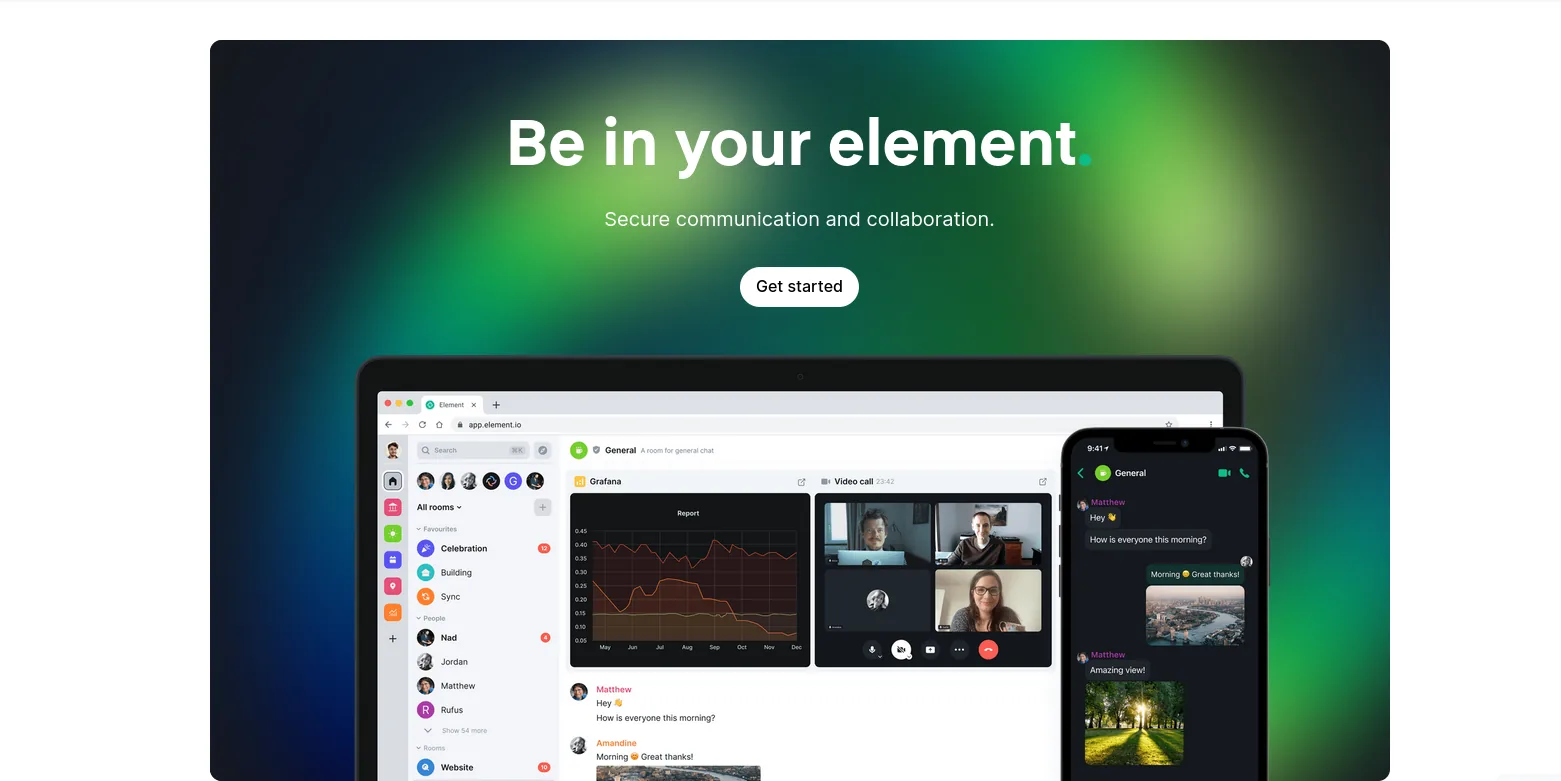
Matrix and Element review
Who is this for? Teams and communities that want decentralised communication without depending on one company — or anyone who wants to run their own server. For personal use, Signal is the more practical first choice.
Matrix is an open communication protocol — not a service, but a standard. Like email is not owned by one company, Matrix is not owned by one server. You choose your own server or host one yourself. Element is the most widely used client for Matrix.
Matrix vs Signal: fundamentally different
Signal is centralised: one company, one server, you have no choice. That works well for most people — but it means Signal as a company is always a single point of failure.
Matrix is federated: like email there are thousands of servers all communicating with each other. A user on matrix.org can chat with someone on a self-hosted server. Nobody controls the entire network.
| Matrix | Signal | |
|---|---|---|
| Protocol | Open, federated | Central (Signal Foundation) |
| Self-hosting | Yes — own server possible | No |
| End-to-end encryption | Yes (Olm/Megolm) | Yes (Signal Protocol) |
| Bridges | Yes — to Signal, WhatsApp, Telegram | No |
| Groups | Large spaces possible | Large groups possible, but less community-oriented than Matrix |
| User-friendliness | Less than Signal | Better |
| Phone number required | No | Yes |
Element — the main client
Element (formerly Riot) is the most widely used Matrix client. There are now two Element apps:
- Element X — the current-generation client, a full rewrite on the Matrix Rust SDK. This is what Element recommends for new users. Faster, and with much simpler encryption handling (see below). Android: Play Store · F-Droid. Also iOS, and Element X for desktop.
- Element Classic — the previous-generation app (
im.vector.app). Still available and supported, but no longer actively developed. Reasons to keep using it are shrinking: as of 2026, Element X has reached parity on Spaces and Threads. Web (app.element.io) is still the classic codebase for now.
Spaces and channels: Matrix organises communication in “rooms” (chats) and “spaces” (collections of rooms — similar to Discord servers or Slack workspaces). Useful for communities and teams.
Threads: Conversation threads within a room, similar to Slack.
Voice and video calls: Built-in group calls via Element Call / MatrixRTC, now generally available.
End-to-end encryption
Matrix uses the Olm protocol for 1-on-1 encryption and Megolm for group chats. Encryption is optional per room — private conversations are encrypted by default, public rooms are not.
Key management: historically Matrix’s weak point — adding a device meant manually verifying it or juggling exported keys, and beginners regularly ended up with unreadable messages. This has improved a lot. Element’s “invisible cryptography” work (rolled out through Element X during 2025–2026) signs new devices automatically at login, hides unverified devices from conversations rather than showing confusing warnings, and makes key backup and recovery-key reset far more guided. It is still not quite as seamless as Signal — you set a recovery key once and older or third-party clients can still be fiddly — but the “lost my messages” trap is much smaller than it was.
Bridges — connecting to other platforms
Matrix has bridges to virtually every other messaging platform: Signal, WhatsApp, Telegram, Discord, IRC, Slack. You can chat with contacts on other platforms from one Matrix client.
How it works: A bridge is a bot that forwards messages between Matrix and the other platform. You log in to the other platform via the bridge — messages are translated back and forth.
Caveat: Bridges work outside the official apps of those platforms. WhatsApp and Signal don’t officially tolerate this and can block accounts. Works in practice, but there is always a risk that a platform blocks bridges.
Self-hosting with Synapse or lighter alternatives
The reference implementation of a Matrix server is Synapse (Python), still the most capable and best-supported option but heavier than needed for small installations. Lighter alternatives:
- Continuwuity and Tuwunel: lightweight Rust servers, both community successors to
conduwuit(a fork of Conduit) after conduwuit was discontinued in mid-2025. Tuwunel is the maintainer-endorsed successor and is backed by paid development; Continuwuity is the more community-driven fork. Either is a good fit for personal use or a small community. - Dendrite (Go): a lighter alternative to Synapse, but active development has largely stalled — the community fork Zendrite has picked up bug fixes and performance work.
Your own server means: you manage your messages, no dependency on matrix.org.
When to choose Matrix over Signal?
Matrix is better if:
- You want to host a community or team (large groups, channels, moderation)
- You want to run your own server for complete control
- You want bridges to multiple platforms
- Registration without a phone number is a requirement
Signal is better if:
- You want to replace private communication with friends and family (simplicity)
- User-friendliness is a priority
- You don’t want to think about servers and key management
Caveats
Key management is still less transparent than Signal: cross-signing and recovery keys are more to think about, and older or third-party clients can be fiddly — though Element X’s “invisible cryptography” has closed most of the gap since 2025.
matrix.org as a default server is not always the best choice: If you do not run your own server, a smaller public server can be better in terms of policy, performance and community.
Metadata on the server: Even with E2E encryption, the server sees who communicates with whom, when, and in which rooms. On your own server that is acceptable — on a public server less so.
Pros and cons
Pros
- Federated protocol — no single company controls the network, self-hosting is possible on a Raspberry Pi or VPS
- No phone number required for registration
- Bridges connect to Signal, WhatsApp, Telegram, Discord, and IRC from one client
- Supports large communities via Spaces, threads, and built-in voice/video calls
- End-to-end encrypted for private rooms using the Olm/Megolm protocol
Cons
- Key management is still more to think about than Signal — recovery keys and cross-signing — even after Element X’s “invisible cryptography” improvements
- Server metadata: even with E2E encryption, the server sees who communicates with whom, when, and in which rooms
- Choosing the default public server matters — smaller public servers can be a better fit than matrix.org
- Less user-friendly than Signal for simple private conversations
Conclusion
Matrix is the right tool for communities, teams and people who want full control over their communication infrastructure. For private messages with friends and family, Signal is simpler and better.
Getting started
1. Choose a server and create an account
Go to app.element.io and create an account on matrix.org, or choose a smaller public server. No phone number required — only a username and password.
2. Install Element
Download Element from element.io/download — choose Element X on mobile (it’s the current app), or Element for desktop. Sign in with your Matrix account.
3. Set up key backup and save your recovery key
Element X prompts you to set up encryption backup during onboarding; in Element Classic it’s under Settings → Security & Privacy → Secure Backup. Save the recovery key in your password manager. Without it, you cannot read older encrypted messages on a new device.
4. Invite contacts or join a server
Send an invitation via your Matrix ID (@your-name:server.org) or join existing spaces and rooms. You can find others’ usernames via their profile or a direct link.
Next step
Chosen Matrix?
- Tailscale guide — make your own Synapse server accessible without opening ports
Similar options
- Signal and Molly review — simpler choice for private conversations with friends and family
Want to go further?
- Recommended privacy apps — full overview of privacy-friendly communication apps