USB data blocker review — protection against juice jacking
Who is this for? Anyone who regularly charges via public USB ports at airports, train stations or hotels. Cheap, compact, and solves the specific risk of juice jacking. Not needed if you only use your own charger.
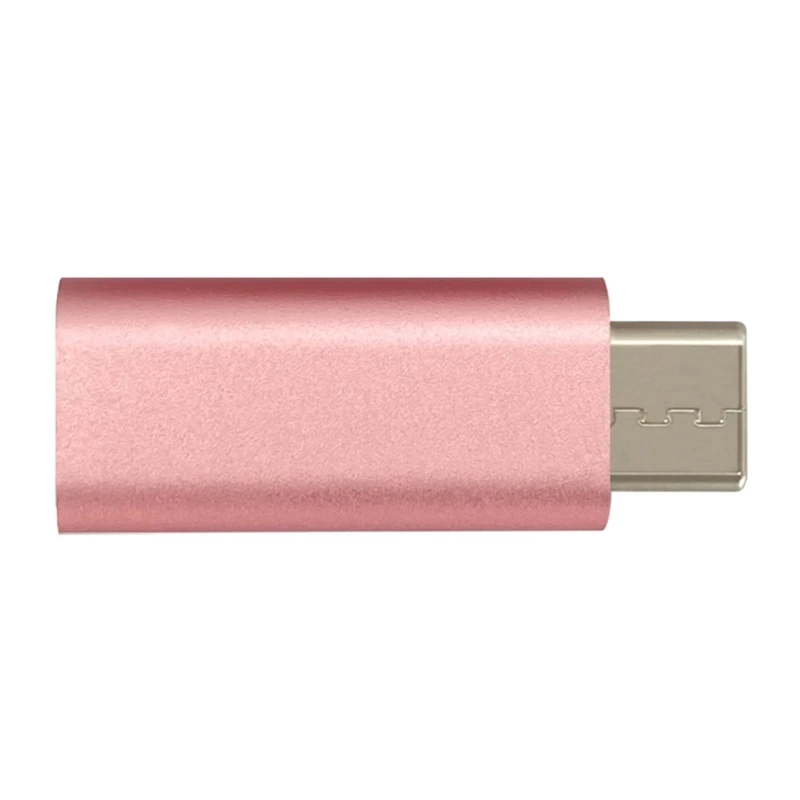
USB data blocker review
Who is this for? Anyone who regularly charges via public USB ports at airports, train stations or hotels. Cheap, compact, and solves the specific risk of juice jacking. Not needed if you only use your own charger.
A USB data blocker is a small adapter you place between your cable and a public charging point. It passes power but physically blocks the data pins. The reason: juice jacking.
What is juice jacking?
A classic USB-A port has four pins: two for power, two for data. A tampered public charging point or charging cable can, in principle, use the data pins to install malware or copy files while you charge.
Honest framing: despite more than a decade of warnings — the FBI’s Denver office in 2023, the TSA again in June 2025 — there are no confirmed real-world juice-jacking attacks. It is a demonstrated laboratory capability, not an observed attack pattern. Take it as a low-probability risk worth a cheap mitigation, not an imminent threat.
Modern phones already help: iOS and Android default to “charging only” on an unknown connection and ask before allowing data. But in 2025 researchers from Graz University of Technology demonstrated “ChoiceJacking” — malicious hardware that auto-confirms that data prompt without you touching the screen, defeating the software defence. A physical data blocker cannot be bypassed that way: with the data pins disconnected there is simply no data path, whatever the other end tries.
How does it work?
Our USB-C data blocker has the D+ and D- data pins internally disconnected. Only the VBUS (power) and GND (ground) pins are connected. Your phone recognises the connection as “charger only” — no file transfer, no sync, no data connection possible.
Our test with a USB meter:
- Power passed: yes (5V, up to 3A depending on charger)
- Data passed: no — a computer does not detect a device through the blocker
- Charging speed with blocker: identical to without at standard 5W charging
For fast charging (USB-PD, Quick Charge), the blocker only works if it supports PD negotiation. Our version supports USB-PD — the phone charges at the maximum speed the charging point provides.
Specifications
| Property | Value |
|---|---|
| Connector | USB-C (both sides) |
| Data pins | Physically disconnected |
| Power throughput | Up to 100W (USB-PD) |
| Dimensions | ~30 × 12 × 8 mm |
| Weight | ~5g |
| Price | Check current price |
When do you use this?
- Public USB charging points (airport, train station, hotel, café)
- Charging cables of unknown origin (hotel room, conference)
- Shared workspaces where you don’t control the charging points
When not needed:
- Your own charger at your own wall socket
- Your own power bank
- A wall socket where you use a separate USB charger (socket delivers no data)
Alternative: charge-only cable
There are also “charge-only” cables with physically absent data pins. Disadvantage: you then have no cable for file transfer. A data blocker is more flexible — use your normal cable and add protection where needed.
Caveats
Thunderbolt / USB4: A data blocker is for charging, not for high-bandwidth dock or data scenarios.
Not all risks are juice jacking: A manipulated charger can also cause problems via the power side. A data blocker only protects against data attacks, not hardware power manipulation.
Pros and cons
Pros
- Physically disconnects the data pins — no data path regardless of what the other end does
- Cannot be bypassed by a “ChoiceJacking”-style attack the way the phone’s software prompt can
- Small and cheap enough to keep in a travel bag permanently
- Simple, no configuration, works with your normal cable
Cons
- Defends against a risk with no confirmed real-world cases — a precaution, not an urgent need
- Only the data path — a manipulated charger can still misbehave on the power side
- Incompatible with Thunderbolt and USB4 devices that need high-bandwidth data over the same connector
- Redundant for your own charger and wall socket, or a USB charger plugged into a mains socket (which carries no data)
Conclusion
A USB data blocker defends against a risk that has never been confirmed in the wild — but it costs almost nothing, weighs nothing, and closes a path (including the ChoiceJacking bypass) that your phone’s software prompt does not fully close. If you regularly charge at public ports it is a reasonable thing to carry. If you always use your own charger, skip it.
Next step
Got a USB data blocker?
- Drop it in your travel bag — it weighs around 5g and fits anywhere
Similar options
- RFID-blocking wallet review — contactless card protection while travelling
- Privacy screen review — preventing shoulder surfing in public
Want to go further?
- GL.iNet Beryl 7 review — VPN for all your devices on public networks