Google Pixel 9a with GrapheneOS review
Who is this for? Anyone who wants GrapheneOS on a well-priced Pixel that's still sold new — Tensor G4, Titan M2, seven years of updates, without the price of the full 9 series. See the Which Pixel for GrapheneOS? guide for a full overview.
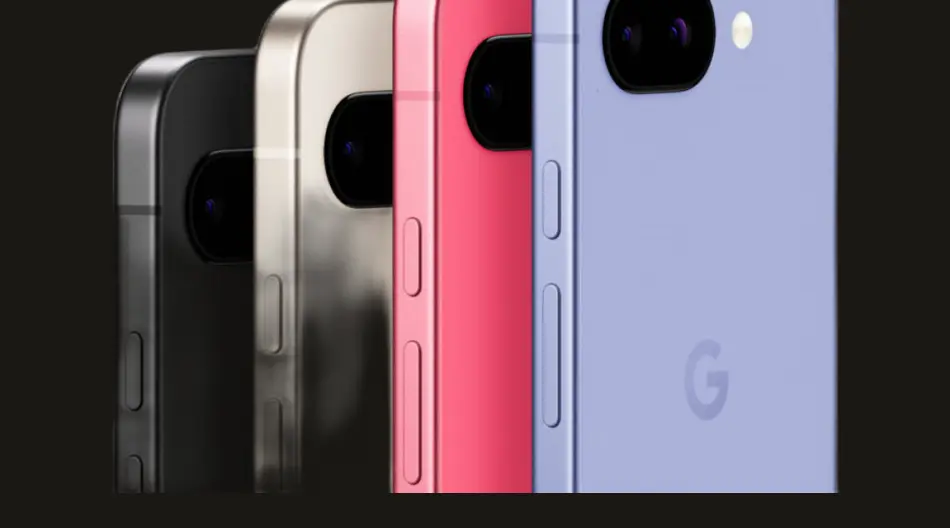
Google Pixel 9a with GrapheneOS
Who is this for? Anyone who wants GrapheneOS on a well-priced Pixel that’s still sold new — Tensor G4, Titan M2, seven years of updates, without the price of the full 9 series. See the Which Pixel for GrapheneOS? guide for a full overview.
The Pixel 9a replaced the Pixel 8a as the entry model for GrapheneOS. Same chip as the Pixel 9, larger battery, lower price. The newer Pixel 10a launched in March 2026 — but it also uses the Tensor G4, so the only real gains over the 9a are a slightly longer update window (~2033 vs ~2032) and being one generation newer. At a similar dollar price and a higher euro price, the 9a remains the value recommendation for most people. Check current retail pricing.
Specifications
| Property | Value |
|---|---|
| Chip | Google Tensor G4 |
| Security chip | Titan M2 |
| RAM | 8 GB |
| Storage | 128 GB / 256 GB UFS 3.1 |
| Screen | 6.3” OLED, 120 Hz |
| Camera | 48 MP main + 13 MP ultrawide |
| Battery | 5,100 mAh |
| Wireless charging | Yes — Qi |
| UWB | No |
| IP rating | IP68 |
| Updates | 7 years from launch |
| GrapheneOS | Fully supported (production) |
| Price new | Check current retail price and storage tier |
| GrapheneOS install | Free — self-install via web installer (15–30 min) |
Why the 9a for GrapheneOS?
The Pixel 9a has the same security hardware as the Pixel 9: Tensor G4, Titan M2, and verified boot with user-configurable keys. That is exactly what GrapheneOS requires.
Titan M2: The security chip stores cryptographic keys that are physically inaccessible to the rest of the system — even if the operating system is fully compromised. GrapheneOS uses this for full-disk encryption and verified boot.
Seven years of updates: Google promises seven years of OS, security, and Pixel Drop updates from launch. That is strong support for a device in this class.
Price: Exact retail pricing moves around. The main point is that the 9a puts modern Pixel security hardware into a cheaper price segment than the regular Pixel line.
Daily use with GrapheneOS
What works well:
- Signal, Element, Session: flawless
- Vanadium browser: fast, stable
- Organic Maps: navigation works excellently
- Bitwarden: no issues
- F-Droid apps: everything works
- Camera: good quality without Google Camera app
- Wi-Fi 6E
- Wireless charging on all Qi chargers
What needs attention:
- Banking apps: varies — some work directly, some require sandboxed Google Play
- NFC payments (Google Wallet): requires sandboxed Google Play and a supported bank/card
- Netflix and DRM content: works but requires sandboxed Google Play for Widevine L1
Camera
The 48 MP main camera is a step up from the Pixel 8a (64 MP but smaller pixels). In practice the 9a delivers better low-light performance thanks to larger pixels (1.2 µm vs 0.8 µm on the 8a). Night photography is noticeably better.
Open Camera (F-Droid) or GrapheneOS’s built-in camera app work well for daily use. For maximum quality, the proprietary Google Camera is available via sandboxed Google Play.
Battery
5,100 mAh is the largest battery in the Pixel 9 series — bigger than the Pixel 9 (4,700 mAh) and Pixel 9 Pro (4,700 mAh). With GrapheneOS and limited background processes, 7–9 hours of screen time per charge is realistic.
9a vs Pixel 9: what do you miss?
| Pixel 9a | Pixel 9 | |
|---|---|---|
| Price | around $499 new, less secondhand | below its $799 launch price |
| Chip | Tensor G4 | Tensor G4 |
| Updates until | ~2032 | ~2031 |
| UWB | No | No |
| IP rating | IP68 | IP68 |
| Battery | 5,100 mAh | 4,700 mAh |
| Wireless charging | Yes | Yes |
UWB (Ultra-Wideband): The 9a has no UWB. Relevant for digital car keys and precision location — not a loss for most people.
IP68: The 9a has IP68 — the same rating as the Pixel 9. No compromise on water resistance compared to the more expensive model.
Conclusion: The 9a offers identical security hardware at a lower price. The only meaningful loss versus the Pixel 9 is UWB — not relevant for most users.
Installing GrapheneOS
The GrapheneOS web installer fully supports the Pixel 9a. Installation takes 15–30 minutes via a browser on Windows, Mac or Linux. Check the current support status at grapheneos.org.
GrapheneOS codename: tegu (production release).
See the installation guide for step-by-step instructions.
Caveats
No UWB: Misses digital car keys and precision navigation. Not relevant for most users.
Tensor G4 thermal management: Like the Pixel 9, the 9a can run warm under intensive use (gaming, long video recording). Not an issue for normal use.
Pros and cons
Pros
- Same Tensor G4 and Titan M2 security hardware as the Pixel 9, at a lower price
- 5,100 mAh battery — largest in the Pixel 9 series, larger than Pixel 9 (4,700 mAh)
- Updates until ~2032 — one year longer than the Pixel 9
- 8 GB RAM — adequate for GrapheneOS daily use
- 48 MP camera with larger pixels (1.2 µm vs 0.8 µm on 8a) — better low-light performance
Cons
- No UWB — digital car keys and precision location not available
- Tensor G4 runs warm under intensive use (gaming, long video recording)
- Banking apps and NFC payments (Google Pay) require sandboxed Google Play
Conclusion
The Pixel 9a is the best value choice for GrapheneOS. Same security hardware as the Pixel 9, one more year of updates, a larger battery — at a lower price.
If you’re unsure which model to get: choose the 9a.
Next step
Chosen the Pixel 9a?
- Installing GrapheneOS on Pixel — step-by-step installation guide, takes 15–30 minutes
- GrapheneOS first setup — what to do right after installation
Similar options
- Pixel 10a review — newer a-series model, slightly longer update window (~2033)
- Pixel 9 review — the more expensive base model with the same Tensor G4
Want to go further?
- Which Pixel for GrapheneOS? — full model overview with comparison table