IVPN review — maximum control over your VPN connection
IVPN is a small VPN provider with one of the strongest privacy positions on the market: no email address needed, Monero payments possible and a strict privacy policy.
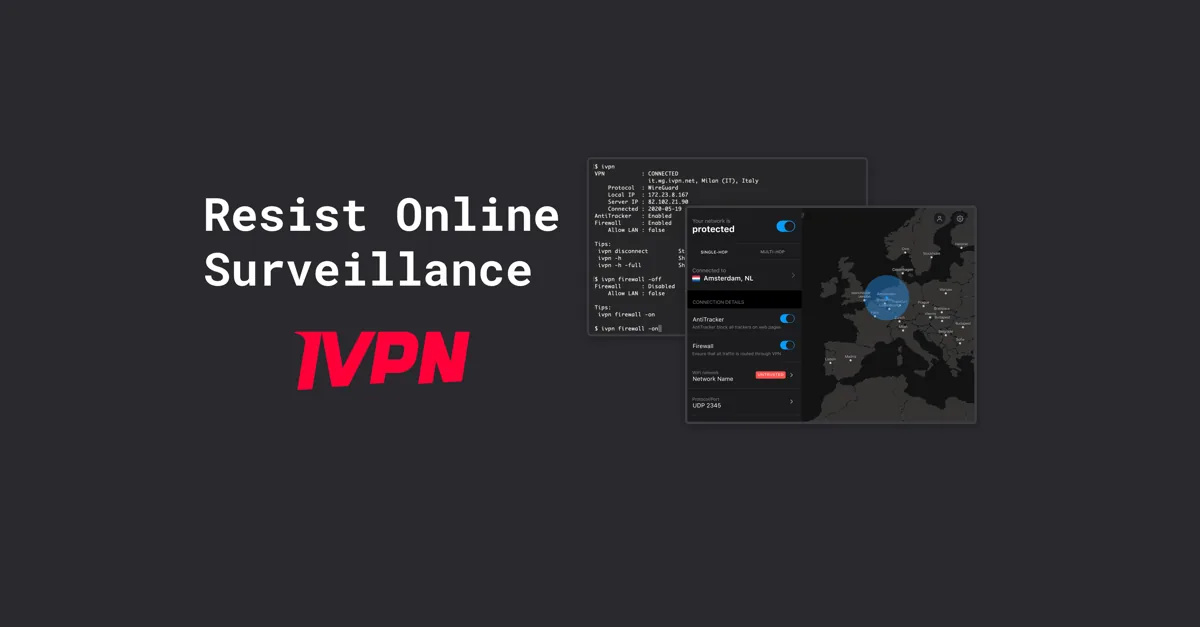
IVPN review
IVPN is a small VPN provider with one of the strongest privacy positions on the market: no email address needed, Monero payments possible and a strict privacy policy.
Who is this for? For people who already know Mullvad and want as little linked to their account as possible — an account number instead of an email address, Monero or cash payments possible, strong privacy policy. For most users, Mullvad is the simpler choice.
What sets IVPN apart
No account linking: Like Mullvad, IVPN works with an account number. IVPN asks for no email address or name; per its privacy policy it stores the account ID, the plan and, for each payment, the amount, time and a transaction ID. Paying with cash or Monero keeps your name and bank out of that payment record (IVPN’s own advice when payment data concerns you; Bitcoin is traceable on its public ledger). That makes the account hard to link to you, not you anonymous: the VPN server sees your IP address while you are connected (IVPN says it doesn’t log it), and anything you log in to or pay for online still knows who you are.
Multi-hop: Since May 2026 IVPN includes multi-hop on every plan, starting with Standard (it used to be Pro-only). It works over WireGuard and OpenVPN; the entry and exit server must be in different countries. A useful extra for people who want more separation at the network layer.
AntiTracker: Built-in DNS blocking of ads, malicious sites and trackers through IVPN’s own DNS servers, included from Standard. You pick a block list (Basic, Comprehensive — IVPN’s recommended balance — or Restrictive, or one of the individual lists) and can add Hardcore Mode, which also blocks Google and Facebook domains.
IVPN Firewall (kill switch, desktop): by default it switches on when you connect and off when you disconnect yourself, so after a manual disconnect your traffic goes outside the VPN again. Always-on firewall (Settings → IVPN Firewall) blocks all non-VPN traffic, even when the app isn’t running; IVPN calls its protection at boot reliable on Windows and best-effort on macOS and Linux. While the firewall is on, local devices such as a printer are blocked unless you tick Allow LAN traffic.
Port forwarding: IVPN no longer offers it (its pricing page says so). For most users that’s not a dealbreaker, but it matters if you’re comparing against older reviews that still list it.
Specifications
| Property | Value |
|---|---|
| Jurisdiction | Gibraltar |
| Protocol | WireGuard, OpenVPN |
| Open-source client | Yes |
| Audits | A Cure53 audit every year, of what IVPN changed most (apps last in 2022; 2025: Mailx and modDNS); the eighth (Unlinked Access, July 2026) has concluded, results published 9 November 2026 |
| Low-linkage payment | Monero, Bitcoin (incl. Lightning), cash (1 year or longer) |
| Account creation | No email address required |
| Multi-hop | Yes (all plans; WireGuard and OpenVPN) |
| AntiTracker | Yes (built-in, included from Standard up) |
| Servers | 88 servers in 58 locations, 42 countries (IVPN, November 2026) — smaller network than Mullvad / ProtonVPN |
| IVPN Standard | $6/month or $60/year — 5 devices, multi-hop and AntiTracker included |
| IVPN Plus | $8/month or $80/year — 5 devices, adds Mailx (email aliases) and modDNS (DNS filtering), both of which need an email address |
| IVPN Pro Suite | $10/month or $100/year — 10 devices, adds Portmaster Pro (Windows, Linux) |
IVPN vs Mullvad vs ProtonVPN
| IVPN | Mullvad | ProtonVPN | |
|---|---|---|---|
| Account system | Account number | Account number | Proton account (may ask to verify an email address or phone) |
| Monero payment | Yes | Yes | No |
| Multi-hop | Yes (from Standard) | Yes | Yes (Secure Core) |
| Free tier | No | No | Yes |
| Server network | 88 servers, 42 countries | ~530 servers, 50 countries | 20,000+ servers, 140+ countries |
| Port forwarding | No | No | Yes (paid plans) |
| Price | From $6/month (prices in USD) | Fixed monthly price | Free + paid |
Choose IVPN if:
- You want extras Mullvad doesn’t offer, such as email aliases (Mailx) or Portmaster Pro in a higher tier (Mullvad also has multi-hop and takes Monero and cash)
- You prefer a smaller, focus-oriented provider over a large network
Choose Mullvad if:
- You want a larger server network
- Price is the deciding factor (€5 / ~$5.50 fixed, simpler)
- DAITA (traffic analysis resistance) is relevant
Gibraltar as jurisdiction
IVPN is operated by IVPN Limited, registered in Gibraltar, a British Overseas Territory. Some VPN comparisons count Gibraltar with the UK, a Five Eyes member; IVPN argues it shouldn’t be, because Gibraltar has its own parliament, laws and courts. IVPN says it only answers requests from authorities with jurisdiction in Gibraltar, and its transparency report lists no request since 2016 in which it provided data.
The real protection — like other VPN providers — lies in the no-logs policy: IVPN says it logs nothing, so there is nothing to hand over. That claim was last audited in 2019 (Cure53), and IVPN says it won’t commission another no-logs audit.
Caveats
Small server network: IVPN has a smaller network than Mullvad and ProtonVPN. For most users that is enough, but there is less geographic choice. IVPN offers a 30-day money-back guarantee (not for cash payments, which are non-refundable).
More devices need a higher tier: IVPN Standard covers 5 devices. For 10, you need Pro Suite.
Less name recognition: IVPN has fewer reviews and community feedback than Mullvad or ProtonVPN. That is not an objective disadvantage but less information available.
Pros and cons
Pros
- No email address required — account-number model like Mullvad
- Multi-hop included from the entry Standard tier
- Monero, Bitcoin and cash payment options allow very low-linkage signup
- AntiTracker built in — blocks ads and trackers at VPN level, with a choice of block lists and a Hardcore mode that also blocks Google and Facebook domains
- Open-source apps, and a Cure53 audit every year (the apps last in 2022)
Cons
- Smaller server network than Mullvad and ProtonVPN
- Three tiers to choose between (Standard, Plus, Pro Suite) instead of Mullvad’s single flat plan
- Slightly more expensive than Mullvad: $6 a month for Standard against Mullvad’s flat €5
Getting started
The steps assume a new IVPN account. Already have one? Skip steps 1 and 2 and log in with your existing Account ID; plans bought before May 2026 now include multi-hop automatically.
The IVPN apps are English only. Labels below are from the apps’ source code (desktop 3.16.1, Android 2.13.1, iPhone 2.14.2).
1. Create an account
Go to the IVPN pricing page and click Select Plan under Standard (5 devices, multi-hop and AntiTracker), Plus (adds Mailx and modDNS) or Pro Suite (10 devices, adds Portmaster Pro). No email address needed: IVPN generates an Account ID (format i-XXXX-XXXX-XXXX). Write it down somewhere safe — it is your login, and there is no email address to recover it with.
2. Pay
On the payment step choose the period and the payment method. Monero or cash keeps your name out of IVPN’s payment record; card and PayPal go through Braintree and PayPal, which do keep your details. Cash is only accepted for 1 year or longer, takes one to four weeks to be processed and can’t be refunded; IVPN shows the postal instructions after you click Cash.
3. Install the app and log in
Download the app from ivpn.net/apps (Windows, macOS, Linux), the App Store (iPhone) or, for Android, as an APK from IVPN’s site, via Accrescent or F-Droid — IVPN’s Android app is temporarily not on Google Play. Open it, enter your Account ID under Enter your Account ID and tap Log In (Log in on Android). WireGuard is already the default protocol in every app, so you don’t need to change it (desktop: Settings → Connection → VPN protocol; phones: Settings → VPN protocol on Android, Settings → Protocol on iPhone).
4. Enable AntiTracker
- Windows, macOS, Linux: switch on AntiTracker in the connection details on the main screen. Click the word AntiTracker (or go to Settings → AntiTracker) to choose a Block list and, optionally, tick Hardcore Mode.
- Android: disconnect first (the app won’t change AntiTracker while connected), then Settings → AntiTracker (under Advanced settings) → Enable AntiTracker; choose a block list and, optionally, Hardcore Mode.
- iPhone: Settings → AntiTracker (under Connection) → Enable; choose a Block List and, optionally, Hardcore Mode.
Comprehensive is IVPN’s recommended balance. Hardcore Mode blocks Google and Facebook domains — test it first, as it can break sites and apps that depend on them.
5. Set up multi-hop
- All apps: on the main screen, switch from Single-hop to Multi-hop. A second server appears: pick the entry server (Connect to on desktop, Entry Server on Android) and the exit server (Exit server; Exit Server on Android), in different countries, then connect. On Android, change this while disconnected; on desktop the app reconnects by itself.
- iPhone: multi-hop works with WireGuard and OpenVPN, not with IKEv2.
Your traffic then runs through two IVPN servers — more separation between your IP and the exit point.
Conclusion
IVPN is the choice for users who want more control from a VPN: an account number instead of an email address, Monero or cash payment, AntiTracker and multi-hop on every plan. It becomes less attractive if you want the largest server network or the simplest pricing.
For most users, Mullvad or ProtonVPN is an easier choice. IVPN is for those who consciously want to take the extra step.
Next step
Chosen IVPN?
- Which VPN should you choose? — background on the choice you just made
Similar options
- Mullvad VPN review — larger network, flat price, DAITA
- ProtonVPN review — free tier, Secure Core, Proton ecosystem
Want to go further?
- VPN: what it does and doesn’t do — which threats a VPN does and does not address