Home network segmentation: VLANs, guest networks, and isolating IoT
Who this guide is for: People with IoT devices, smart TVs, or frequent guests on the home network. You do not need to be a network expert to start — even a guest network is already a meaningful step.
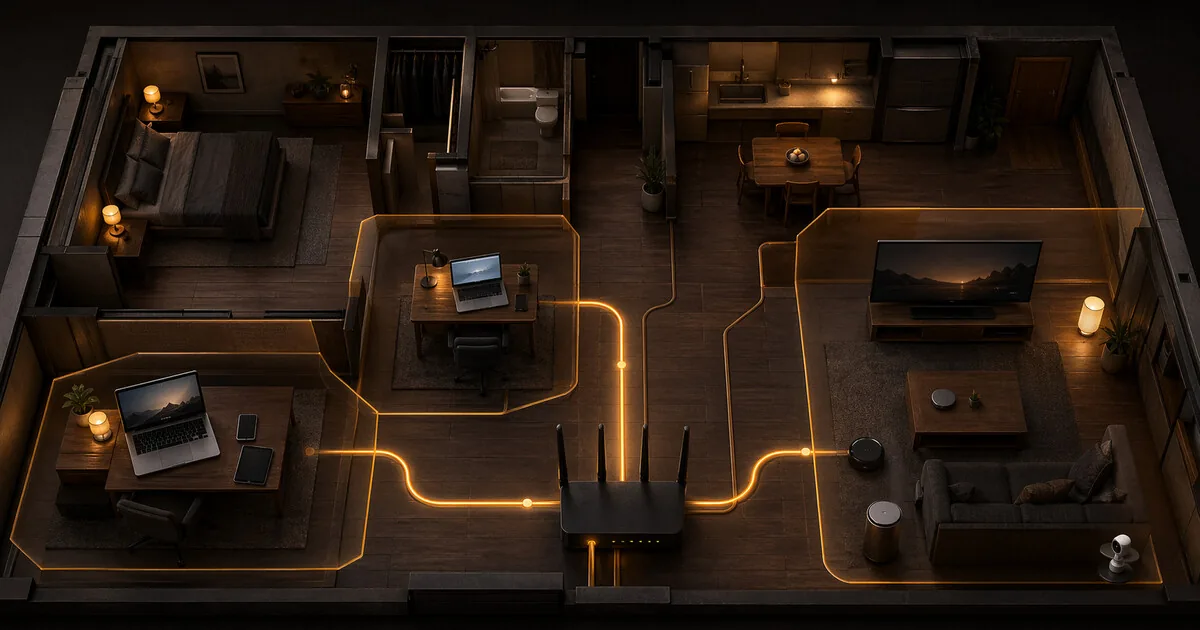
Home network segmentation: VLANs, guest networks, and isolating IoT
Who this guide is for: People with IoT devices, smart TVs, or frequent guests on the home network. You do not need to be a network expert to start — even a guest network is already a meaningful step.
Your home network is probably one big flat network: router → everything connected to it. Laptop, phone, smart TV, IP camera, smart bulbs, and your guest’s phone all share the same space. If one device is compromised, it can see and attack everything else.
Network segmentation fixes this by dividing devices into separate zones that cannot communicate with each other.
What you gain, and what it costs
You gain containment. A smart bulb, camera, or visitor on your Wi-Fi no longer automatically gets visibility into your laptop, NAS, or work environment. This is one of the few home-network measures that can genuinely limit the damage caused by a compromised device.
The cost is complexity. Devices that used to talk to each other automatically may stop working without extra rules. Printers, Chromecast, AirPlay, Sonos, and device-management interfaces are often exactly where that friction shows up.
When this is overkill
Full VLAN design is not the first step for every household. If your router offers a decent guest network and your main risk comes from guests and cheap IoT devices, start there. Deeper segmentation becomes worth it once you have many devices, work-from-home needs, NAS storage, or genuinely sensitive data on the same network.
The problem: one network for everything
Suppose your smart TV is compromised — through a vulnerable firmware update or a malicious app. On a flat network, that TV can:
- Scan your NAS and read files
- Intercept traffic from your laptop
- Attempt to log into your router
- Use your phone as an attack target
This sounds theoretical, but smart TVs, IP cameras, and other IoT devices often run outdated software without regular updates. They are the weakest links in your network.
The solutions: three options
Option 1: guest network (simplest)
A guest network is a separate Wi-Fi network alongside your main network. Devices on the guest network:
- Have internet access
- Cannot communicate with devices on the main network
- Cannot reach each other either (if client isolation is enabled)
When to use: smart TV, streaming sticks, IoT devices, visitors.
Limitation: guest networks are binary — you have one main network and one guest network. You cannot create multiple separate zones with different rules.
Setup: almost every modern router supports this. Look for Guest Network in your router settings.
Option 2: VLAN (more flexible)
VLAN stands for Virtual Local Area Network. It is a way to split one physical network into multiple logically separate networks, each with its own rules.
The difference from a guest network:
- A guest network is one fixed extra zone
- With VLANs you create as many zones as you want, each with its own access rules
Example home setup:
| VLAN | Devices | Internet access? | Access to other VLANs? |
|---|---|---|---|
| VLAN 10 — Home | Laptop, phone | Yes | No |
| VLAN 20 — IoT | Smart TV, bulbs, camera | Yes | No |
| VLAN 30 — Guests | Visitor phones | Yes | No |
| VLAN 40 — NAS | Storage, backup | No (optional) | VLAN 10 only |
Each VLAN has its own Wi-Fi name (SSID) or cable port. Devices in VLAN 20 never see devices in VLAN 10 — even though they share the same router.
When to use: when you want more control than a guest network provides, or need multiple zones (work, IoT, guests, NAS).
Option 3: physically separate network (maximum isolation)
The TV or IoT device gets a completely separate router or access point with its own internet connection. No shared hardware, no shared software layer.
When to use: for devices you absolutely do not trust, or for high-risk users. Overkill for most home situations.
What do you need for VLANs?
Most standard ISP routers support home VLANs only partially or not at all. For real segmentation, you usually need a router that does:
| Router | VLAN support | Difficulty |
|---|---|---|
| GL.iNet (Beryl AX, Flint 2/3) | Yes Via OpenWrt | Medium |
| OPNsense / pfSense | Yes Full | Higher |
| Ubiquiti UniFi | Yes Full | Medium–Higher |
| Standard ISP router | No None or limited | — |
For most home users, a GL.iNet router is the practical choice: OpenWrt is pre-installed, the interface is accessible, and the hardware is affordable.
Setting up VLANs on GL.iNet
GL.iNet routers run OpenWrt but also have their own management panel. For VLANs, use the OpenWrt interface (LuCI).
Step 1: open LuCI
Go to 192.168.8.1 → SYSTEM → Advanced Settings → Go To LuCI. Log in with your router password.
Step 2: create a new VLAN and subnet
The exact screens differ by OpenWrt version and hardware. On newer systems you often first work under Network → Devices or Bridge VLAN filtering, and then attach a separate interface to that VLAN.
- Name: e.g.
iot - VLAN ID: e.g.
20 - IP range: use a separate subnet, e.g.
192.168.20.1/24for VLAN 20
Step 3: create a separate Wi-Fi network for the VLAN
Go to Network → Wireless → Add.
- Give it a separate name (SSID): e.g.
Home-IoT - Attach it to the new interface (e.g.
iot) - Enable client isolation so devices cannot see each other
Step 4: set up firewall rules
Go to Network → Firewall → Traffic Rules.
Add a rule blocking traffic from the IoT VLAN to the main network:
- Source zone:
iot - Destination zone:
lan - Action: Reject
The IoT network then has internet access but cannot reach your laptop or NAS.
Practical device assignment for home use
Main network (trusted): Laptop, desktop, phone, tablet, NAS
Guest network / VLAN: Smart TV, streaming sticks, smart bulbs, IP camera, doorbell, games console, visitor phones
Never on the same network as trusted devices:
- Smart TV (ACR, trackers) — see Smart TV privacy guide
- IP cameras (often poor firmware)
- Smart bulbs and plugs (many run on Chinese-owned IoT platforms like Tuya, whose data handling falls under China’s data-security law)
- Games consoles (large attack surface, connect to external servers)
Summary
| Solution | Required hardware | Difficulty | Good for |
|---|---|---|---|
| Guest network | Any modern router | Low | Smart TV, IoT, guests |
| VLAN | Router with OpenWrt/VyOS/UniFi | Medium | Multiple zones, more control |
| Physically separate network | Extra router or switch | Low–Medium | Maximum isolation |
Start with a guest network for IoT devices — that already solves the biggest problem. VLANs are the next step when you want finer control.
Next step
Go further
- Setting up OPNsense VLAN segmentation — finer-grained zones beyond guest-network or GL.iNet level
- GL.iNet travel router setup — guest network and VPN on GL.iNet
- Privacy DNS guide — combine DNS filtering with network segmentation
- Tailscale mesh VPN guide — reach your home network safely without opening ports
Decide first
- Network profile guide — what level of protection actually suits your situation
Smart home
- Smart TV privacy: disable ACR — why your TV belongs on a separate network