Email aliases: a different address for every account
An email alias is an extra address that forwards to your real inbox. You give each shop, newsletter or forum its own alias, so your real address never leaks, you can see exactly who sold or leaked it, and you can switch off one alias without touching the rest.

Email aliases: a different address for every account
An email alias is an extra address that forwards to your real inbox. You give each shop, newsletter or forum its own alias, so your real address never leaks, you can see exactly who sold or leaked it, and you can switch off one alias without touching the rest.
Who this guide is for
This guide is for people who:
- get more spam or phishing than they’d like and want to know where it comes from
- sign up for a lot of shops, newsletters, apps and trial accounts
- already use a password manager and want the next easy step for account privacy
What this guide does not solve: aliases don’t encrypt your email, and they don’t make you anonymous. The alias service handles your mail on the way through, and your real inbox still receives it. For choosing an email provider itself, see secure email without overkill.
What you gain, and what it costs
You gain:
- less exposure in data breaches: a leaked alias doesn’t reveal your real address
- leak detection: if spam arrives on the alias you gave one webshop, you know who leaked it
- an off switch: disable that one alias and the spam stops, without changing your real address
- less cross-site tracking by email address: companies can’t match you across services by a shared address
It costs:
- one more service to trust, because your mail passes through it
- one more dependency: if the alias service disappears, forwarding stops (see the lock-in section below)
- a little friction: a few sites refuse known alias domains, and replying from an alias can need a paid plan
How it works in practice
- You sign up with an alias service and connect your real inbox.
- When a site asks for your email, you create a new alias for it, usually from a browser extension or your password manager.
- Mail to that alias arrives in your normal inbox, marked with the alias it came through.
- If that address starts receiving spam, you disable just that alias.
Replying (where your plan allows it): use your mail app’s reply button on the forwarded email; the service sends your reply from the alias. Don’t add Cc or Bcc (Firefox Relay warns this shows your real address), and don’t write to the sender’s own address from your inbox: that email goes out from your real address.
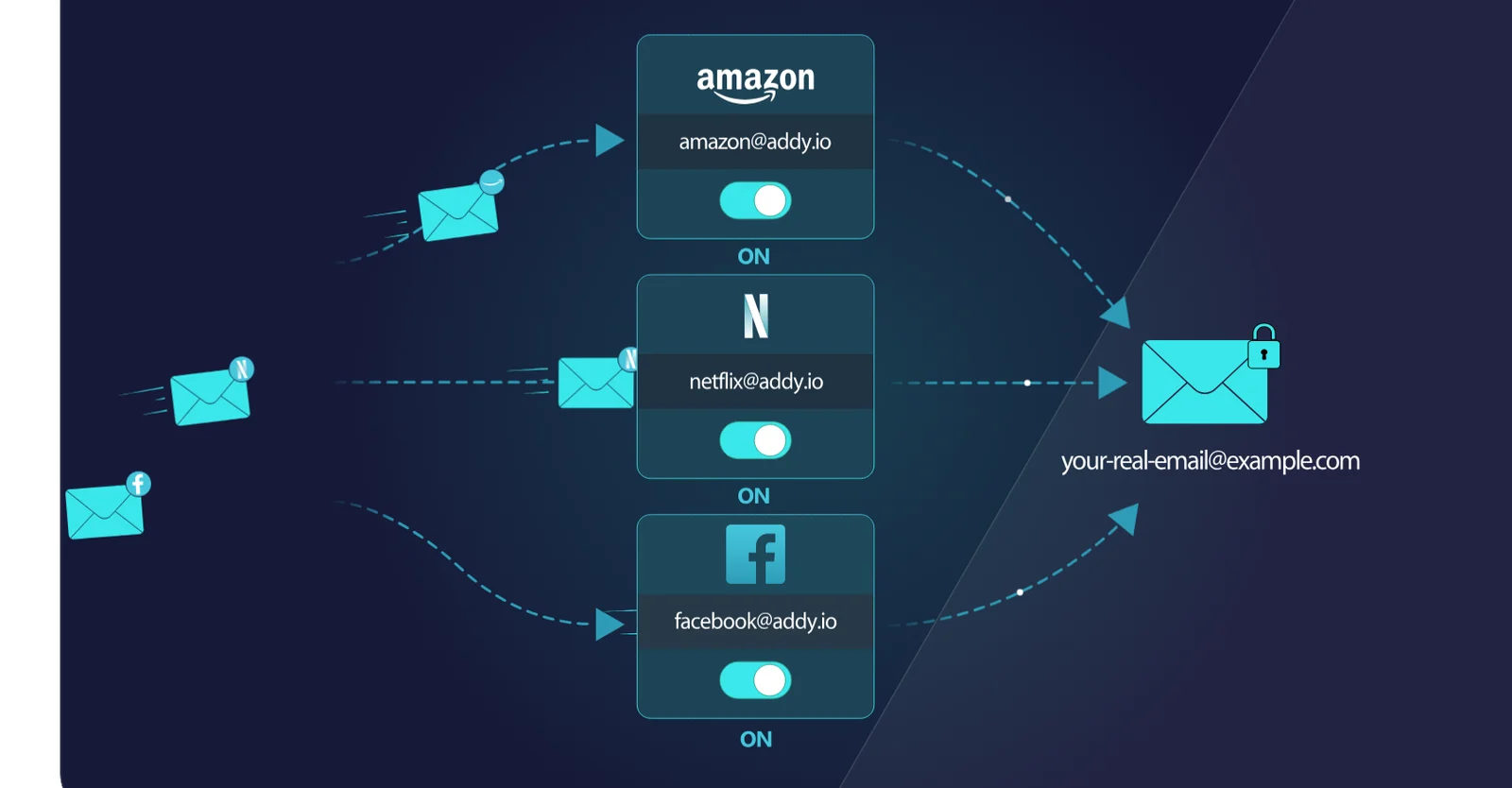
How forwarding works: every site gets its own alias, each with its own off switch. Diagram: addy.io.
A good habit: save the alias in your password manager entry for that site, so you always know which address belongs where.
The practical default
If you already use Proton, use the aliases you already have. Proton Pass includes “hide-my-email” aliases (10 on the free plan), and SimpleLogin, Proton’s alias service, is included in Proton Unlimited and Pass Plus. No extra account needed.
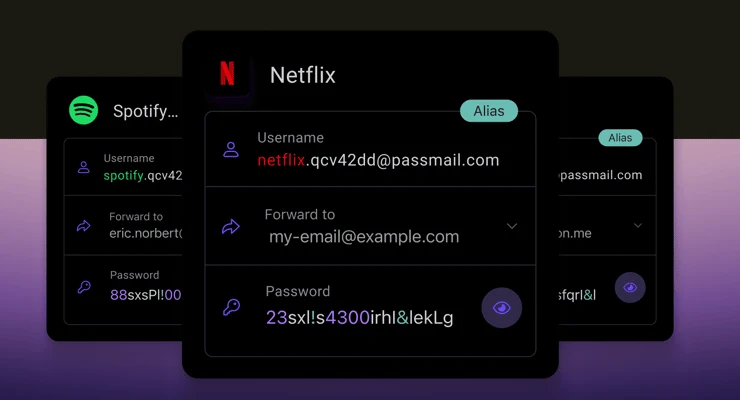
In Proton Pass, each login gets its own alias that forwards to your real address. Image: Proton.
If you don’t use Proton, start with SimpleLogin or addy.io. Both are open source and dedicated to aliases:
| SimpleLogin | addy.io | |
|---|---|---|
| Owner | Proton AG (since 2022) | Independent, UK-based developer (formerly AnonAddy) |
| Free plan | 10 aliases, 1 inbox | Unlimited “standard” aliases, 10 random shared-domain aliases, 1 inbox, 10 MB of mail per month |
| Reply from an alias | Yes (starting a new email from an alias is Premium) | Paid plans only |
| Paid plan | Premium, $36/year (or $4/month); priced in US dollars in Europe too | From $1/month, €1/month in Europe (billed yearly) |
| Own domain | Paid | Paid |
One addy.io detail: its free “standard” aliases include your addy username (for example shop@yourname.anonaddy.com), so anyone comparing them can tell they belong to the same person. Its random shared-domain aliases can’t be linked that way. If that matters to you, use the random ones or SimpleLogin.
Built into what you may already use:
- Apple Hide My Email: works with Sign in with Apple; creating and managing addresses more freely needs iCloud+.
- Firefox Relay (Mozilla): 50 free masks; replying is a paid feature.
- DuckDuckGo Email Protection: free, and also strips trackers from forwarded mail.
These are fine to start with. Keep in mind that Apple, Mozilla and DuckDuckGo are US companies, and that the dedicated services give you more control.
Where not to use an alias
Use your real, long-term address for accounts where losing email access would really hurt:
- government and official services: your tax authority, your municipality and your government login (in the Netherlands, for example: DigiD and the Belastingdienst)
- your bank, insurer and health insurer
- work and anything tied to contracts or legal notices
- your password manager and your main email recovery settings
These are the accounts where a disappearing alias service could lock you out, and where hiding your address gains you little: they already know who you are.
The real risk: lock-in
If the alias service shuts down or suspends your account, mail to your aliases stops arriving, including password-reset emails. Two ways to limit that:
- Keep important accounts off aliases (see the list above).
- Use your own domain (a paid feature on both SimpleLogin and addy.io). If you ever need to switch services, you point your domain at the new one and your aliases keep working.
If you stop paying: on SimpleLogin, existing aliases keep working; you just can’t create new ones above the free limit. On addy.io, your own domains, aliases on paid-only domains and shared-domain aliases above 10 are switched off when the plan ends.
For most people, aliases on the service’s own domain are fine for shops and newsletters. Consider your own domain once you have dozens of aliases you’d hate to lose.
When this is overkill
If you don’t sign up for much online and spam isn’t a problem, you don’t need aliases yet. Getting a password manager and two-factor authentication in place protects your accounts far more.
A good stopping point: aliases for shops, newsletters and one-off sign-ups, your real address for everything official. You don’t need to convert every existing account; just use an alias for new sign-ups and when you next change an old one.
Next step
Choose your route
- Secure email without overkill — choosing the email provider behind your aliases
- Which password manager should you choose? — including Proton Pass, which has aliases built in
Go further
- Proton Mail review — the provider behind SimpleLogin