YubiKey 5 NFC vs Nitrokey 3 NFC
Who is this for? Anyone who wants hardware 2FA — the strongest phishing-resistant protection for accounts that really matter. Most relevant for journalists, lawyers, politicians and administrators of critical accounts. See the 2FA guide for when a hardware key is needed and when it isn’t.
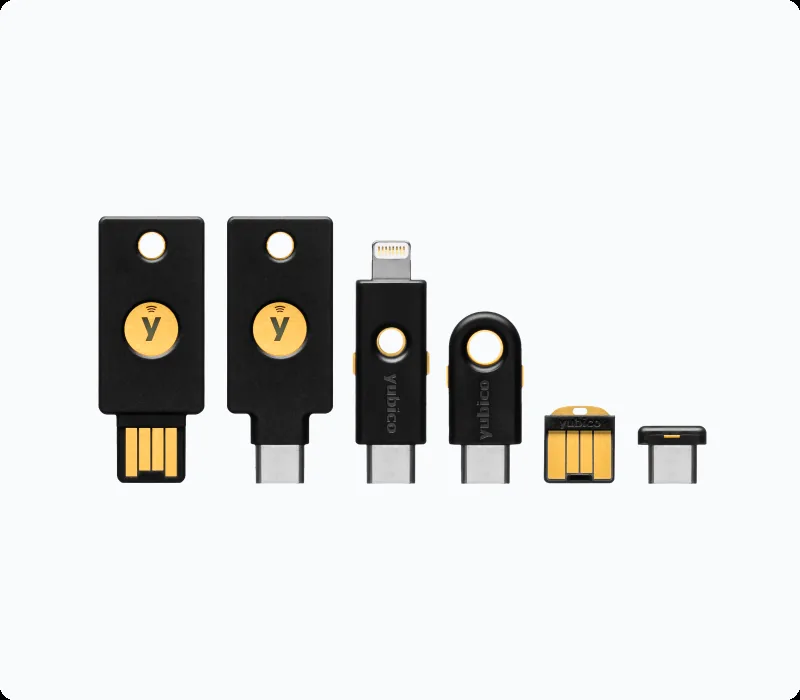
YubiKey 5 NFC vs Nitrokey 3 NFC
Who is this for? Anyone who wants hardware 2FA — the strongest phishing-resistant protection for accounts that really matter. Most relevant for journalists, lawyers, politicians and administrators of critical accounts. See the 2FA guide for when a hardware key is needed and when it isn’t.
Hardware security keys are the strongest 2FA available to most people. They are resistant to phishing, require no battery, and work for ten years or more. Two models dominate the market for privacy-conscious users: the YubiKey 5 NFC and the Nitrokey 3 NFC.
The core differences
| YubiKey 5 NFC | Nitrokey 3 NFC | |
|---|---|---|
| Price | Higher price tier | Lower price tier |
| Firmware | Closed | Open-source |
| Firmware updates | Not possible | Possible |
| Protocols | FIDO2/WebAuthn, U2F, OTP/OATH, PIV, OpenPGP | FIDO2/WebAuthn, U2F, Password Safe/OTP, PIV, OpenPGP |
| NFC | Yes | Yes |
| USB-C | Yes (5C NFC variant) | Yes |
| Production | Sweden | Germany |
| Externally audited | No published firmware audit (FIPS/CSPN on separate variants only) | Open-source firmware, publicly verifiable |
YubiKey 5 NFC
Yubico’s best-selling model. Widely supported, proven reliable over many years, and compatible with virtually every service that supports hardware keys.
Strengths:
- Most online services test compatibility primarily with YubiKey — broad support is more likely
- Firmware-stable: no updates also means no risk of a bad update breaking something
- NFC works directly with GrapheneOS and most Android devices
- Durable housing, proven long lifespan
Weaknesses:
- Closed firmware — you cannot verify what is inside the chip
- Firmware is not updatable: if a firmware vulnerability is discovered, you need to buy a new one
- More expensive than open-source alternatives
For whom: Most users who simply want a reliable, well-supported key without ideological objections to closed firmware.
Nitrokey 3 NFC
Nitrokey is a Berlin company building hardware security products on an open-source basis. All firmware is publicly accessible and verifiable.
Strengths:
- Fully open-source firmware — community and researchers can verify what happens
- Firmware updates possible: vulnerabilities can be patched without new hardware
- Made in Germany, transparent ownership structure
- Cheaper than YubiKey
Weaknesses:
- Slightly less broad compatibility than YubiKey with obscure services
- Hardware is robust but slightly less solid than YubiKey’s housing
- Smaller community and less documentation
For whom: Users for whom open-source firmware is a hard requirement, or who want to use the lower price to buy more backup keys.
Which one do you buy?
Buy YubiKey 5 NFC if: You prioritise compatibility above all, have no objection to closed firmware, and are willing to pay a bit more for proven quality.
Buy Nitrokey 3 NFC if: Open-source firmware is a hard requirement, you want to use the lower price to buy two keys for the price of one YubiKey, or you want to support European manufacturing.
Always buy two keys. One as primary, one as backup. A lost or damaged key without a backup means you are locked out of your accounts.
The EUCLEAK vulnerability (2024)
In 2024, researchers disclosed EUCLEAK, a side-channel flaw in the Infineon cryptographic library used by the YubiKey 5 Series. On a YubiKey with firmware below 5.7, an attacker with physical possession of the key, specialised lab equipment, and time could extract a device secret and clone the key for a specific targeted account. Yubico’s firmware 5.7 (May 2024) switched to Yubico’s own cryptographic library and is not affected — but keys already sold cannot be updated, so the only fix for an older YubiKey is to replace it.
The Nitrokey 3 was not affected: it uses an NXP secure element rather than an Infineon one, and Nitrokey used the episode to make exactly the argument this comparison already describes — that updatable open firmware limits how much damage a hardware-library flaw can do.
In practice EUCLEAK is a targeted-attacker problem, not a mass one: it needs the physical key and lab equipment, so a YubiKey remains far better than no hardware key. But it is a real, concrete example of the “closed, unpatchable firmware” tradeoff below, not a hypothetical one.
Caveats
The biggest risk is often setup discipline, not brand choice: Buying a good key matters less than registering it properly on important accounts, keeping a backup key, and storing recovery paths sensibly.
Open versus closed firmware is a real tradeoff, but not the only one: Some buyers over-focus on philosophy and under-focus on support, compatibility, and deployment friction. The right answer depends on what you are actually going to live with.
Hardware keys are not automatically necessary for everyone: They are excellent for high-value accounts and high-risk profiles, but they are still more effort than app-based TOTP. If you will not maintain them properly, the “stronger” option can turn into dead weight.
Use with GrapheneOS
Both keys work via NFC with GrapheneOS without an extra app. Hold the key near the top of the device (where the NFC chip is) during authentication.
Via USB-C both also work directly. No drivers required.
Pros and cons
Pros
- Hardware-based FIDO2/WebAuthn — phishing-resistant; the key never transmits your credentials over the internet
- No battery required, works for ten years or more
- YubiKey NFC works directly with GrapheneOS without an extra app — hold near the NFC chip during authentication
- Nitrokey has updatable open-source firmware — vulnerabilities can be patched without buying new hardware
- Nitrokey is cheaper, which can make it easier to buy backup keys too
Cons
- YubiKey firmware is closed-source and cannot be updated — a discovered firmware vulnerability requires buying a new key
- Nitrokey has slightly less broad compatibility with obscure services and a smaller community than YubiKey
- Always buy two keys — losing the only key without a backup locks you out of all accounts
Conclusion
Both keys are good choices. The YubiKey is the safe choice for broad compatibility. The Nitrokey is the principled choice for those who take open-source firmware seriously. For most users, there is no measurable practical difference in daily use.
Next step
Have you chosen a YubiKey or Nitrokey?
- Hardware security key guide — enrolling accounts, setting up a backup key, and building a recovery plan
Similar options
- Two-factor authentication guide — when a hardware key adds value over TOTP apps
Want to go further?
- Profile: IT professional / sysadmin — privileged access makes you a target
- Profile: lawyer, solicitor or politician — professional privilege and hardware 2FA