Protectli Vault review — fanless mini PC for OPNsense and pfSense
The Protectli Vault is a compact, fanless mini PC with multiple Intel network ports. The default choice for those wanting to run OPNsense or pfSense on dedicated hardware.
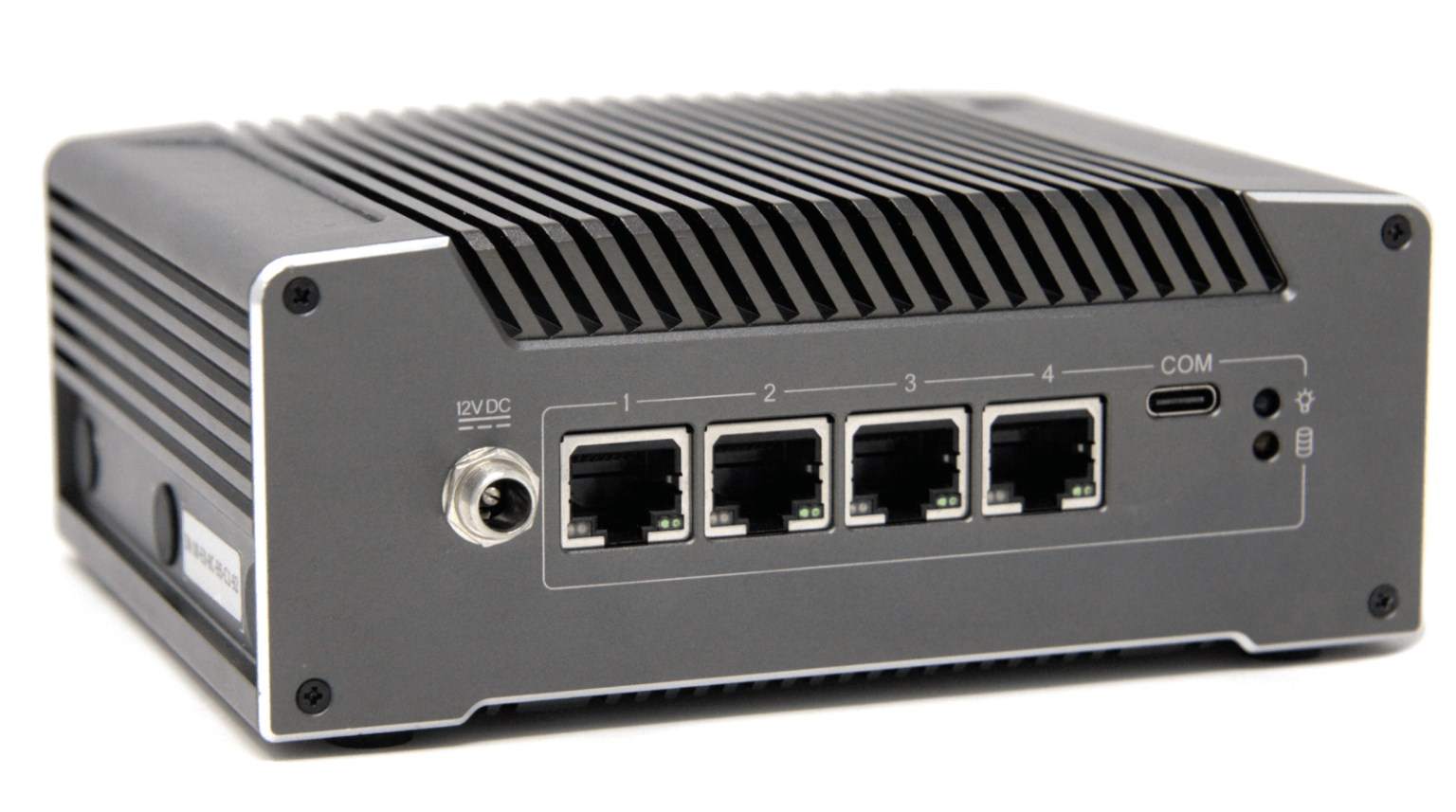
Protectli Vault review
The Protectli Vault is a fanless mini PC with multiple Gigabit Intel network ports, designed as a platform for open-source firewall software like OPNsense or pfSense. The recommendation for home users and small businesses wanting a fully configurable firewall on dedicated hardware.
Why dedicated firewall hardware?
An ISP router or consumer device (TP-Link, ASUS) runs closed firmware. You cannot inspect what it does, you cannot set advanced rules, and updates depend on the manufacturer.
OPNsense and pfSense are fully open-source firewall operating systems. They run on standard x86 hardware — the Protectli Vault is designed as the most suitable home hardware for this purpose.
Models
| Model | CPU | RAM | Ports | Price |
|---|---|---|---|---|
| FW2B | Intel Celeron J3060 | 4–8 GB | 2× Gigabit | ~€150 |
| FW4B | Intel Celeron J3160 | 4–8 GB | 4× Gigabit | ~€200 |
| FW4C | Intel Celeron N5105 | 8–16 GB | 4× Gigabit + 2× SFP | ~€280 |
| FW6E | Intel Celeron N5105 | 8–16 GB | 6× Gigabit | ~€350–400 |
FW4B is the most popular for home use — four ports (WAN + LAN + 2 extra for VLAN segmentation), sufficient CPU for IDS/IPS (Suricata) on Gigabit connections.
Specifications (FW4B)
| Property | Value |
|---|---|
| CPU | Intel Celeron J3160 (quad-core, 1.6 GHz) |
| RAM | 4–8 GB DDR3L |
| Storage | mSATA SSD (16–32 GB sufficient for OPNsense) |
| Ports | 4× Intel i211-AT Gigabit |
| USB | 2× USB 3.0, 1× USB 2.0 |
| Display | HDMI |
| Cooling | Fanless — completely silent |
| Power consumption | ~6–10W |
| Price | ~€200 (without RAM and storage) |
Intel NIC — why it matters
The Protectli Vault uses Intel i211 network chips. OPNsense and pfSense are optimised for Intel NICs — stable drivers, good support for VLANs and hardware offloading.
Cheaper mini PCs with Realtek NICs regularly have driver issues under FreeBSD (the basis of pfSense) and can cause speed problems with VPN encryption.
What you can do with it
Firewall and NAT: Standard function — determine which traffic is and isn’t allowed.
VLAN segmentation: Create separate network segments for IoT devices, guests and your main network. Each segment has its own rules — a smart TV cannot reach your NAS.
IDS/IPS with Suricata: Intrusion detection and prevention at packet content level. Detects known attack patterns in live traffic.
VPN server (WireGuard/OpenVPN): OPNsense has built-in WireGuard and OpenVPN server. Securely access your home network from outside.
HAProxy / reverse proxy: Set up a reverse proxy for self-hosted services (Nextcloud, Home Assistant) with Let’s Encrypt TLS.
DNS filtering: OPNsense has a built-in DNS resolver. Combine with Unbound + blocklists as an alternative to AdGuard Home.
Comparison with alternatives
| Protectli FW4B | Firewalla Gold | GL.iNet Flint 2 | Raspberry Pi 4 | |
|---|---|---|---|---|
| Firewall OS | OPNsense/pfSense | Firewalla OS | OpenWrt | DIY |
| Technical level | High | Low | Medium | High |
| Intel NICs | ✅ | ✅ | ❌ | ❌ |
| IDS/IPS | Suricata/Snort | Built-in (limited) | ❌ | DIY |
| Open-source | Fully | Partially | Fully | Fully |
| Built-in WiFi | ❌ | ❌ | ✅ | Via adapter |
| Price | ~€200 + RAM/SSD | ~€200 | ~€139 | ~€75 + extras |
No WiFi: The Protectli Vault has no wireless radios. You need a separate access point (TP-Link EAP, Ubiquiti, or your existing router in bridge mode).
OPNsense vs pfSense
Both are excellent. For new installations:
- OPNsense: More active development, more frequent updates, more modern interface, better documented for beginners. Recommended.
- pfSense: Older, large community, more online tutorials. The CE version is free; Netgate is pushing towards a paid version.
Caveats
No WiFi: Requires an external access point. Budget for that separately.
Learning curve: OPNsense/pfSense are powerful but require understanding of network concepts (VLAN, firewall rules, NAT). Not for someone who wants to install and forget.
RAM and storage separate: Protectli often sells the Vault without RAM and SSD. Budget an extra €30–50 for 8 GB DDR3L + 32 GB mSATA SSD.
Conclusion
The Protectli Vault is the default choice for advanced home users and small businesses who want full control over their network. OPNsense runs stably on it, Intel NICs cause no issues, and the fanless design makes it suitable for 24/7 use.
Those with the technical knowledge to configure OPNsense get more out of this than a Firewalla or GL.iNet. Those who don’t are better starting with a Firewalla.
See also:
- Which network setup fits your threat profile? — when is Protectli the right choice?
- Firewalla Gold review — plug-and-play alternative
- GL.iNet Flint 2 review — the middle ground