Firewalla Gold review — plug-and-play firewall for home network
Firewalla Gold is a small red box that secures your home network via an app. No CLI, no configuration files. Assessed: who this is the right choice for.
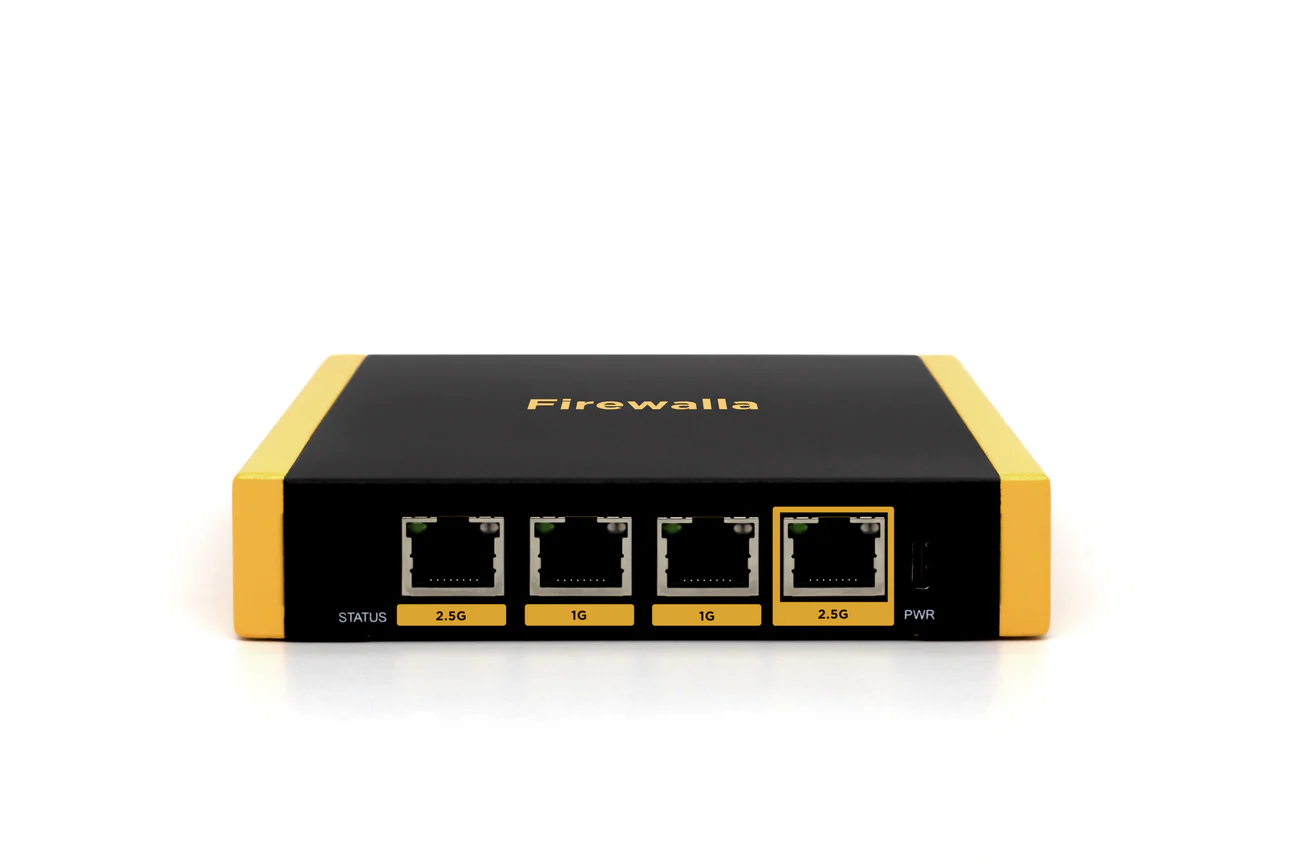
Firewalla Gold review
Firewalla Gold is a compact network security device you place behind your router and manage via an app. No OpenWrt, no CLI, no configuration files. The target audience: people serious about network security but who don’t want to become network engineers.
What Firewalla does
Firewalla works as an inline device — all traffic to and from your network passes through it. That makes the following possible:
Intrusion Detection (IDS): Firewalla analyses traffic patterns and warns of suspicious activity. If a device in your network suddenly connects to known malware servers, you receive a notification.
Ad and tracker blocking: DNS-based blocking for the entire network — all devices benefit, including smart TVs and gaming consoles.
Built-in VPN server: Firewalla can act as a WireGuard or OpenVPN server so you can securely log in from outside.
VPN client: Connect the entire network via WireGuard or OpenVPN to an external VPN provider (Mullvad, ProtonVPN, IVPN).
Device management: See every device on your network, block unknown devices, set rules per device or group.
Family filters: Block categories (gambling, adult content) per device or time period.
Specifications
| Property | Value |
|---|---|
| Processor | Intel Pentium N4200 (quad-core) |
| RAM | 4 GB |
| Storage | 32 GB eMMC |
| Ethernet | 4× Gigabit (2 WAN + 2 LAN) |
| Operating system | Linux (Firewalla OS) |
| Management | iOS and Android app |
| Cloud dependency | Partial (app communication) |
| WireGuard throughput | ~940 Mbps |
| Price | ~€200 |
App management: strength and weakness simultaneously
The Firewalla app is the reason most people choose this device. Everything is visible and clickable — no terminal, no configuration files. You see live which devices are connecting, to what, and how much data they use.
Strong: Accessible. You have control without technical knowledge.
Weak: The app communicates with Firewalla’s cloud for remote management. You can also use the app locally, but for notifications and external access an account and cloud connection are required. This is a compromise compared to fully local solutions like OPNsense.
Comparison with GL.iNet and OPNsense
| Firewalla Gold | GL.iNet Flint 2 | Protectli + OPNsense | |
|---|---|---|---|
| Configuration | App | Web interface + CLI | Web interface + CLI |
| Technical level | Low | Medium | High |
| Intrusion detection | ✅ | ❌ | ✅ (Suricata) |
| Built-in VPN server | ✅ | ✅ | ✅ |
| Open-source | No | Yes (OpenWrt) | Yes (OPNsense) |
| Cloud dependency | Partial | No | No |
| Price | ~€200 | ~€139 | ~€300–400 |
Who is Firewalla Gold for?
Good choice if:
- You want to take network security seriously without a technical background
- You want a device you install and forget until it reports something
- Family filtering or device management play a role
- Your budget is around €200
Less suitable if:
- You want maximum transparency and control (OPNsense is better)
- You don’t want cloud dependency
- You already have a GL.iNet router — the overlap is large and the added value limited
Caveats
Not truly open-source: Firewalla OS is based on Linux but is not fully open-source. You cannot audit the internal workings like OpenWrt or OPNsense.
Cloud account required for full functionality: Some features (external notifications, management outside your network) only work with a Firewalla account. For a privacy device this is a tension.
One-time purchase, no subscription: No monthly costs — the app is free. That is an advantage over some competitors.
Conclusion
Firewalla Gold is the best choice in the “serious network security without technical knowledge” segment. The app is good, the intrusion detection works, and the VPN functionality is broad. The compromise is partial cloud dependency and no true open-source.
Those willing to accept a steeper learning curve get more value from a GL.iNet router with OPNsense.
See also:
- Which network setup fits your threat profile? — when is Firewalla the right choice?
- GL.iNet Flint 2 review — the more technical home router
- Setting up a GL.iNet travel router — configuring VPN at router level