Delta Chat: encrypted messaging over email, without a phone number
Delta Chat doesn’t set up a new server. It’s a messaging app that uses email as its transport layer — and with it, the decentralized email network that has existed for decades.
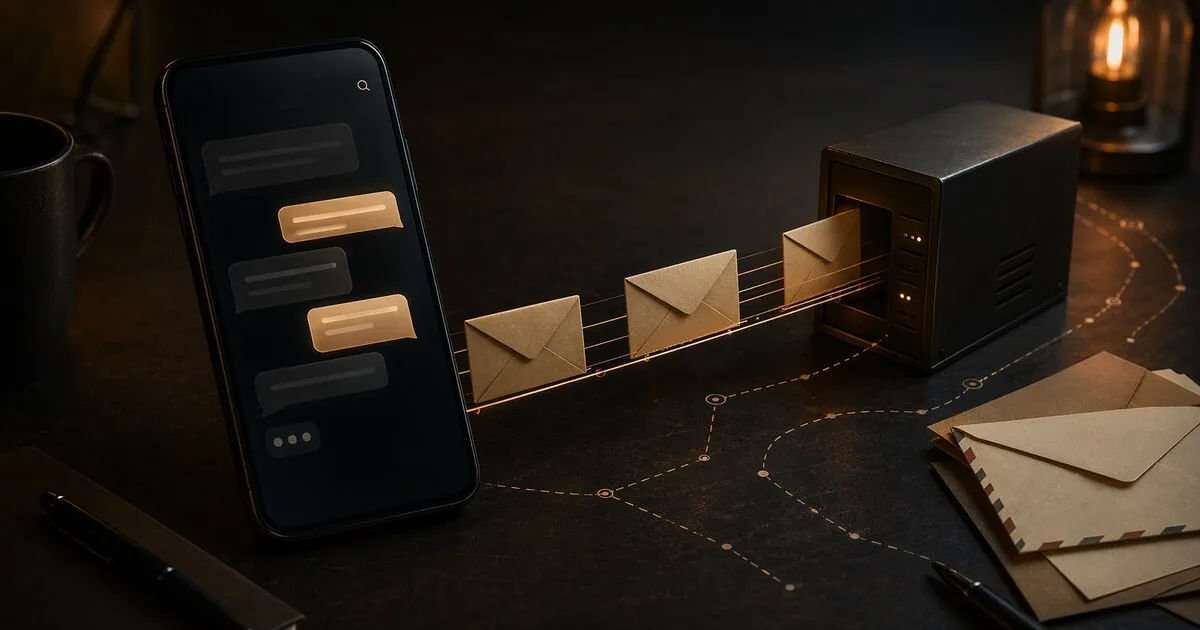
Delta Chat: encrypted messaging over email, without a phone number or account
Delta Chat doesn’t set up a new server. It’s a messaging app that uses email as its transport layer — and with it, the decentralized email network that has existed for decades.
That might sound like a workaround, but it has a concrete consequence: there’s no central operator to subpoena, no platform that can suddenly disappear or get acquired, and no phone number required. The network is email itself.
Who this guide is for
This guide is for readers who:
- want encrypted messaging without a phone number
- prefer decentralised infrastructure over one central platform
- can accept some metadata tradeoffs in exchange for account-free or email-based messaging
What you gain, and what it costs
What you gain:
- no dependence on a single chat platform operator
- the option to use Chatmail without linking a real identity
- practical encrypted messaging on top of existing email infrastructure
What it costs:
- email metadata remains a real limitation
- Delta Chat is less mainstream than Signal or WhatsApp
- some security properties, such as PFS, are still weaker than the strongest modern messengers
When this is overkill
If you mainly want the simplest secure messenger for everyday contacts, Signal or Molly is usually the easier first move. Delta Chat makes more sense when decentralisation, account independence, or identity separation matters enough to justify the extra complexity.
How it works
Delta Chat sends messages as encrypted emails via standard IMAP/SMTP. Your contact receives them as email, but sees a chat interface — not a traditional inbox. The email server sees the routing envelope (from/to and timing) but not the content, and since 2026 not the subject or threading headers either (see below).
For end users, Delta Chat feels like a normal messaging app. Under the hood, everything runs over email infrastructure. Since 2026 it also has native peer-to-peer audio and video calls (WebRTC, with call setup signalled through Delta Chat messages) — earlier versions had no calling at all.
No email address required: Chatmail
The most privacy-friendly way to use Delta Chat is via a Chatmail server — a specially configured email server for Delta Chat.
When registering on a Chatmail server, a random email address is automatically generated for you. You provide no name, phone number, or existing email address. The address is a meaningless string tied to nothing.
Many Chatmail servers delete messages relatively quickly and remove inactive accounts. They also enforce mandatory end-to-end encryption for all messages.
You can also use an existing email address — at your own provider, Proton Mail, or a self-hosted server. That gives more control but requires an existing email account.
Encryption
Delta Chat uses OpenPGP as the encryption standard, with Autocrypt for automatic key exchange. Keys are exchanged on the first message — no key servers, no manual import.
SecureJoin — making contact via QR code — provides guaranteed end-to-end encryption that protects against active network attackers. Groups created with verified contacts never degrade to unencrypted communication.
Since Delta Chat version 2 (2025), all communication is end-to-end encrypted by default. The app makes this transparent to the user — no lock icons, no warnings, it just works.
Perfect Forward Secrecy (PFS) is not yet present. OpenPGP doesn’t natively support it. If a private key is ever compromised, previously intercepted messages are theoretically readable. The Delta Chat team is working on Autocrypt 2 — an IETF draft that adds post-quantum-resistant key exchange and reliable deletion / forward secrecy — announced at FOSDEM 2026 and slated for rollout over 2026. There is no “sealed sender” equivalent yet.
What the email server sees
Email transport still needs an outer envelope to route a message, so the server handling it sees the sending and receiving addresses and roughly when the message moved. Since the 2.48+ “zero metadata” release (March 2026), everything else is inside the encrypted part: Delta Chat implements full header protection (RFC 9788), so the subject, To, References, In-Reply-To and group-membership headers are no longer visible in cleartext, and the outer Date is randomised (shifted every few days). Earlier versions left the subject as … and exposed those threading headers.
So the server still sees:
- Which address sent to which address (the routing envelope)
- Approximately when a message was transported
The server does not see:
- Message content (end-to-end encrypted)
- Subject or threading headers (encrypted since 2.48+)
- Group composition (stored locally, encrypted)
- Your contact list
With a Chatmail server, the addresses are randomly generated — they link to nothing — and both parties are often on the same server, so a message never transits a third party. With a regular email provider, the addresses are tied to your account.
Delta Chat is still not the choice for anyone who needs the envelope-level metadata protection that Session, SimpleX or Briar provide, but the 2026 header-protection work closed most of the gap for content and threading metadata.
Security audits
Delta Chat has been independently audited multiple times:
- Cure53 (2023): 7 vulnerabilities found, 5 security-relevant. Primarily affecting the desktop application.
- ETH Zurich (March 2024): 20 issues found in the SecureJoin protocol, all resolved in version 1.44.
- Radically Open Security (December 2024): Two CVEs found in the underlying rPGP library (CVE-2024-53856, CVE-2024-53857: crash on malformed input and resource exhaustion). Both patched and deployed immediately.
The pattern is consistent: issues are found and fixed. No known exploits in the wild.
Installing and getting started
Android: via Google Play, F-Droid (recommended on GrapheneOS), or Huawei AppGallery.
iOS: via the App Store.
Desktop: Linux (Flatpak, Arch, Nix), macOS, Windows — download from delta.chat.
On first launch:
- Choose “Chatmail server” for anonymous registration without an email address
- Or enter an existing email address
- Share your QR code or invitation link to connect
Multiple profiles per device are supported — useful for compartmentalization.
Honest caveats
No PFS yet — see above. Autocrypt 2 (in progress through 2026) is expected to address this along with post-quantum key exchange.
Routing metadata visible to email server — the sender/recipient envelope and approximate timing are unavoidable with email transport. Subject and threading headers are encrypted since the 2.48+ release (March 2026). With Chatmail the addresses are random; with regular email they’re not.
Group size — Delta Chat is not suitable for groups above 150 members.
Sync speed — outgoing messages sync to additional devices roughly twice per hour, not in real time.
Disappearing messages — if the recipient uses a regular email client rather than Delta Chat, they can copy messages before they disappear.
Who Delta Chat is for
Direct value:
- People who don’t want to give a phone number and don’t want to create a new account
- Anyone skeptical of central platforms who prefers existing decentralized infrastructure
- Organizations that run their own email server and want data sovereignty
- Users who want to separate multiple digital identities via multiple profiles
- Anyone who already trusts email as a channel and wants an encrypted chat layer on top
Less suitable for:
- Anyone requiring envelope-level metadata protection (Session, SimpleX, or Briar are better for this)
- Anyone who requires PFS today
- Large groups (above 150)
- Heavy voice or video calling — P2P calls exist since 2026 but are basic next to Signal’s
Delta Chat vs. the rest
| Delta Chat | Signal | Session | SimpleX | |
|---|---|---|---|---|
| Phone number required | No | Yes | No | No |
| Central server | No (email infrastructure) | Yes (US) | No (decentralized) | No (relay queues) |
| Perfect Forward Secrecy | Not yet; Autocrypt v2 is expected to improve this | Yes | Yes | Yes |
| Metadata protection | Content + threading headers hidden (2026); routing envelope still visible | Good | Excellent | Excellent |
| Cost | Free | Free | Free | Free |
| Works without internet | No | No | No | No |
| Open source | Yes | Yes | Yes | Yes |
Background
Delta Chat is developed by merlinux GmbH in Freiburg, Germany — a small, independent organization with no venture capital. The project has existed since 2017 and is funded through public grants and donations. The source code is fully open source (GPL-3.0). In 2025 Russian authorities moved against merlinux for providing Delta Chat — a real-world illustration of the decentralised model: there is no single server to seize, so pressure lands on the developer rather than the network.
Next step
Alternatives
- Session guide — stronger identifier-free route if email-layer metadata is a concern
- SimpleX Chat guide — no identifier, maximum anonymity
- Threema guide — paid, Swiss, no phone number
- Briar guide — P2P via Tor, works without internet
Reviews
- Signal and Molly review — Signal with extra privacy options