Briar: encrypted messaging without internet, servers, or phone number
Every other messaging app in this series has one thing in common: they depend on internet connectivity in normal use. Briar can also work without it.
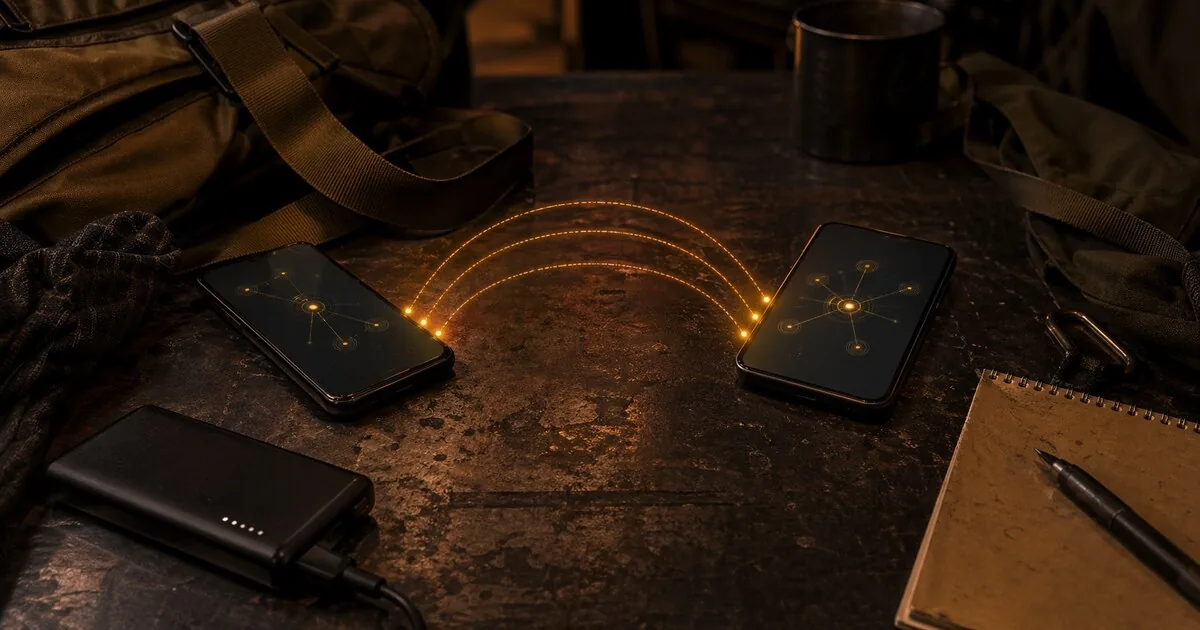
Briar: encrypted messaging that also works without internet, servers, or a phone number
Every other messaging app in this series has one thing in common: they depend on internet connectivity in normal use. Briar can also work without it.
Briar works peer-to-peer. There are no servers. Messages go directly from device to device — via the Tor network when internet is available, via Bluetooth or local Wi-Fi when it isn’t. If the network goes down — through outage, censorship, or emergency — Briar keeps working.
That makes Briar fundamentally different from Signal, Session, or Threema. Not better for daily use — but irreplaceable in situations where the infrastructure itself cannot be trusted.
Who this guide is for
This guide is mainly for readers who have a concrete reason to care about communication during outages, censorship, or infrastructure failure.
It fits especially:
- activists or journalists in hostile or unstable network environments
- organisations that need communication without trusting external infrastructure
- readers who explicitly need Tor, Bluetooth, or local Wi-Fi fallback on the same tool
For most readers, Briar is not a normal daily messenger recommendation. It is the right tool when infrastructure independence is the requirement, not when you just want “more private chat.”
What you gain, and what it costs
If you use Briar, you usually gain:
- messaging without servers or phone numbers
- communication that can keep working during outages or censorship
- stronger resistance to central logging and infrastructure dependence
But it costs something:
- more battery usage
- more contact friction and a smaller user base
- no iOS support and weaker everyday convenience than mainstream messengers
For the right profile that is absolutely worth it. It becomes overkill when convenience, reachability, and broad contact adoption matter more than infrastructure independence.
How Briar works
Briar has no central servers. Messages synchronize as soon as two devices connect — via whatever channel is available.
Online (Tor): Messages travel via the Tor network. Your IP address is hidden from your contact and from anyone observing the traffic.
Offline (Bluetooth): Works within roughly 10-30 meters. No cellular network, no WiFi, no internet required.
Offline (Wi-Fi / local network): Works on a local network without an internet connection. Useful during large-scale outages or in isolated environments.
You make contact by scanning each other’s QR code. This also cryptographically verifies identity — you know with certainty you’re talking to the right person.
Encryption
Briar uses the Bramble Protocol Suite — a fully custom-built stack of cryptographic protocols:
- Key exchange via Bramble Handshake Protocol
- Session encryption via Bramble Transport Protocol (BTP)
- Sync via Bramble Synchronisation Protocol
Messages, files, group conversations, and forums are all end-to-end encrypted. No unencrypted metadata leaves the device.
Perfect Forward Secrecy is implemented: session keys are rotated periodically. If a key ever leaks, earlier messages remain unreadable.
What nobody sees
Briar has no servers and no log files. There is nothing to request from Briar because Briar holds nothing.
- Message content: End-to-end encrypted
- IP address: Hidden via Tor (when using internet)
- Contact list: Encrypted, stored on your device only
- Who talks to whom: Not visible to ISP, network administrators, or Briar itself
With Bluetooth or local Wi-Fi, there is no external traffic at all — the signal only passes between the two devices.
Security audit
Briar has had two independent audits, not one.
Cure53, March 2017: the first audit, conducted before Briar launched its beta. No critical or high-severity vulnerabilities found; the cryptography code was specifically described as exceptionally clear and sound.
Radically Open Security, September-October 2023 (via the Open Technology Fund): a second, later audit — requested after an ETH Zürich research project found three separate security issues earlier in 2023 (fixed in versions 1.4.22 and 1.5.3: a denial-of-service via invalid messages, a message duplication attack in forums, and a cryptographic flaw in the handshake). This audit found 6 issues — one moderate-risk (overlay attacks on Android, largely mitigated on Android 12+) and five low-risk (including a weak pre-shared key in WiFi packet sharing), nothing in the higher-risk categories. A 2024 retest confirmed 4 of 6 findings resolved, with the remaining two planned for future releases.
Installing and getting started
Android: via Google Play, F-Droid (recommended on GrapheneOS), or direct APK from briarproject.org.
Desktop (Linux, Windows, macOS): download from briarproject.org.
iOS: not available. iOS limitations on background processes are difficult to reconcile with Briar’s peer-to-peer architecture. An iOS version does not currently appear realistic.
On first launch:
- Choose a username (stored locally only)
- Set a password (minimum 8 characters — use a strong one)
- No email, phone number, or account required
Making contact: go to Add contact → Show my QR code and let the other person scan it, or scan theirs.
Briar Mailbox
Briar synchronizes messages only when both devices are online at the same time. That’s a limitation for daily use: if the recipient is offline, messages are only delivered when they reconnect.
Briar Mailbox partially solves this. It’s a separate app you install on a spare Android device. That device acts as a personal relay: contacts can send encrypted messages to it when you’re offline. When you open Briar, messages sync automatically.
The Mailbox only stores encrypted messages for its owner — the Mailbox operator cannot read the content. It’s your own infrastructure, not Briar’s.
Honest caveats
Battery consumption — Briar has no server receiving messages on your behalf. The app must run actively in the background to receive messages. This uses more battery than apps with central servers. Tip: disable battery optimization for Briar, or limit it to WiFi-only use.
No iOS — Briar is not available for iPhone or iPad. This is an architectural limitation rather than a simple product decision.
Small user base — Briar isn’t built for mass adoption. The smaller the network, the less likely your contacts already use it.
More complex contact verification — There’s no search function. You often connect by being physically near someone and scanning QR codes, though trusted contacts can also introduce each other remotely.
Who Briar is for
Direct value:
- Activists in countries with aggressive internet surveillance or censorship
- Journalists in environments where communication infrastructure cannot be trusted
- People who need to communicate during internet outages or network failures
- Anyone who wants to remain reachable via Bluetooth without internet
- Organizations that want to be completely independent of external infrastructure
Less suitable for:
- Daily use as a primary messaging app (battery consumption, iOS limitation)
- iPhone users (not available)
- Situations where speed and convenience are the priority
Briar vs. the rest
| Briar | Signal | Session | Threema | |
|---|---|---|---|---|
| Phone number required | No | Yes | No | No |
| Works without internet | Yes (Bluetooth/Wi-Fi) | No | No | No |
| Central server | No (fully P2P) | Yes (US) | No (decentralized) | Yes (Switzerland) |
| Onion routing | Yes (Tor) | No | Yes (own network) | No |
| iOS | No | Yes | Yes | Yes |
| Cost | Free | Free | Free | €6.49 / $6.99 one-time |
| Audit | Cure53 2017; Radically Open Security 2023 (retested 2024) | Multiple audits | Quarkslab 2024-2025 | Cure53 2024 |
Briar is one of the few privacy messengers that can still work when there is no internet. For that specific scenario, it remains unusually strong.
Background
Briar was developed by an internationally distributed team led by Michael Rogers, with the goal of supporting freedom of expression and privacy in environments where infrastructure cannot be trusted. The project is funded by organizations including the Open Technology Fund, NLnet, and Access Now. The source code is fully open source.
Next step
Alternatives
- Session guide — no phone number, but without the offline and P2P constraints
- SimpleX Chat guide — no identifier, maximum anonymity
- Threema guide — paid, Swiss, no phone number
- Delta Chat guide — encrypted messaging over email
Reviews
- Signal and Molly review — Signal with extra privacy options