USB fingerprint scanner review — fast biometric login Windows, Linux
Who is this for? Desktop or laptop users without a built-in fingerprint reader who want faster login on Windows or Linux. This is a convenience upgrade, not a security improvement — your PIN or password remains the foundation.
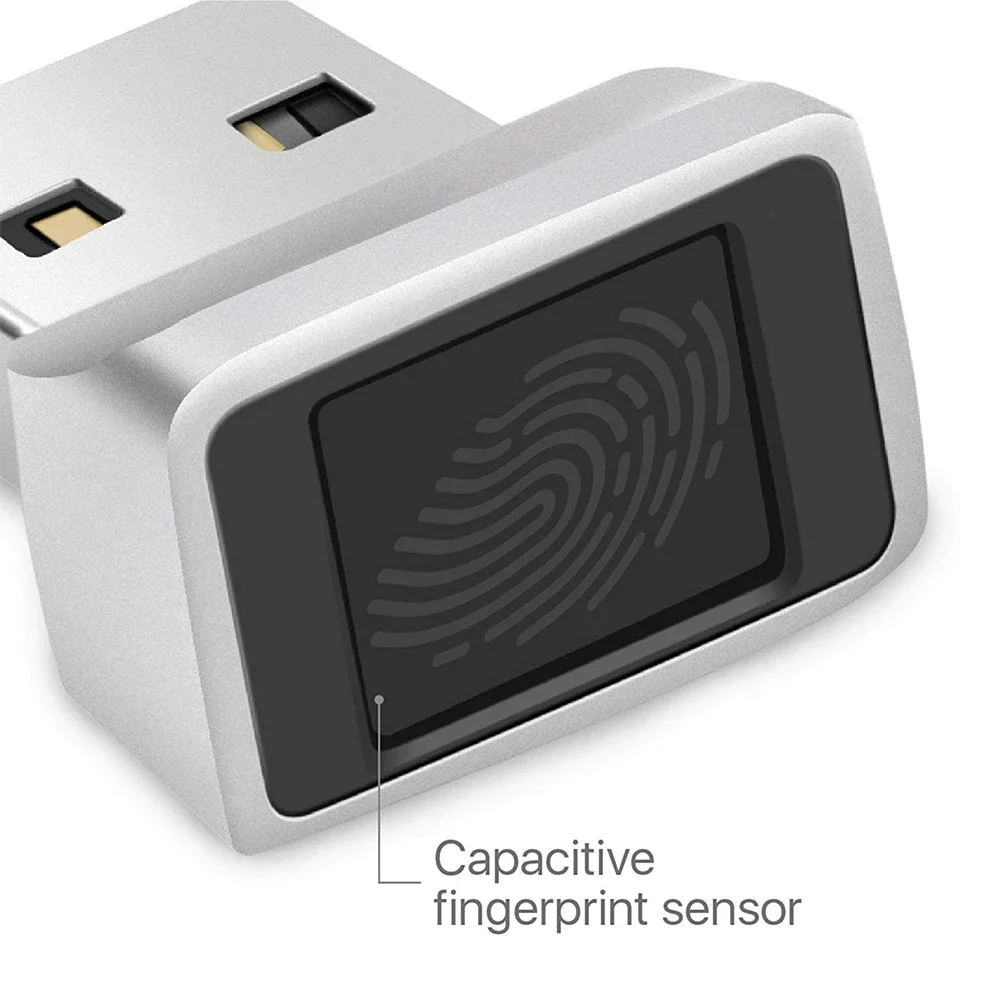
USB fingerprint scanner review
Who is this for? Desktop or laptop users without a built-in fingerprint reader who want faster login on Windows or Linux. This is a convenience upgrade, not a security improvement — your PIN or password remains the foundation.
Biometric login via a fingerprint scanner is built into more and more laptops, but for desktops or older laptops an external USB scanner is an affordable solution. They work via Windows Hello or PAM on Linux.
How it works
A USB fingerprint scanner stores a mathematical model of your fingerprint locally — not the print itself, but an encrypted template. When logging in, the scanner compares the scanned finger with the stored template.
Windows Hello: Windows 11 has built-in support for external fingerprint scanners via Windows Hello (Settings → Accounts → Sign-in options). Windows 10 also worked, but it reached end of support in October 2025, so treat this as a Windows 11 feature now.
Linux (PAM): On Linux, biometric login usually runs through PAM and fprintd, but compatibility varies significantly by sensor. Check support before you buy.
Compatible scanners
Kensington VeriMark Guard (K64707WW):
- Windows Hello certified
- 360° reading angle
- Also supports FIDO2 (can work as hardware security key)
- Price: check current store price
Kensington VeriMark Desktop (K81900WW):
- Flat USB dongle, directly in port
- Windows Hello
- Price: check current store price
Validity Sensors / Synaptics-based scanners:
- Many cheaper models use these chips
- Broadly supported on Linux via libfprint
- Quality varies
Specifications (typical for class)
| Property | Value |
|---|---|
| Interface | USB-A or USB-C |
| OS support | Windows 11 (Hello), Linux (fprintd) |
| macOS | Not supported (Touch ID is Apple hardware only) |
| Template storage | Local in the OS or sensor, depending on model |
| FAR/FRR | Varies by sensor and certification |
| Response time | Usually fast enough for daily unlocking |
| Price | Varies by model |
Security considerations
What biometrics does well
- Faster than typing a password
- Harder to steal than a password (you can’t “leak” your fingerprint via phishing)
- Local storage — no data to the cloud
- Useful as a local unlock option alongside a strong password or PIN
What biometrics does not solve
Password still required: A scanner is an additional login method, not a replacement. You always need a password or PIN as fallback — and that is the weakest point.
Legal vulnerability: In some jurisdictions, a court can compel you to put your finger on a scanner, but not to reveal your password. In the EU this is more nuanced, but it is a consideration.
Theft of biometric template: If a password is leaked, you change it. You cannot change a fingerprint. Good scanners store encrypted templates that cannot be reversed to the original print — but quality varies by manufacturer.
Spoofing: More advanced spoofing is still possible. For ordinary home use this is usually less relevant than loss, theft, or a weak fallback password.
Setup on Linux
# Install fprintd
sudo apt install fprintd libpam-fprintd

# Enrol your fingerprint
fprintd-enroll

# Enable for sudo / login (tick "fingerprint authentication")
sudo pam-auth-update

# Test
fprintd-verify
Supported hardware on Linux: check via fwupd device list or the libfprint device database.
Caveats
This is about convenience first: A USB fingerprint scanner can make login nicer, but it rarely changes your security model in the way buyers sometimes imagine. The real protection still sits with your password, PIN, disk encryption, and device policy.
Linux compatibility is not a small detail: On Linux, support quality varies enough that buying first and checking later is the wrong order. A cheap scanner with poor support is just a frustrating USB ornament.
Biometrics are not always the right legal or operational choice: In some contexts, the fact that a fingerprint can be compelled or cannot be rotated is more important than the speed advantage. That makes this a fit question, not just a spec question.
Pros and cons
Pros
- Faster than typing a password
- Templates are stored locally, with no cloud dependency
- Works through Windows Hello on Windows 11 and through
fprintd/PAM on Linux - Handy for quick local unlock on systems that support it well
Cons
- You cannot rotate a fingerprint if it is compromised the way you can change a password
- In some jurisdictions a court can compel a biometric unlock but not password disclosure
- The password fallback remains the weakest point
- macOS does not support these external scanners
Conclusion
A USB fingerprint scanner is mainly a convenience accessory. As long as the fallback remains strong and you check Linux compatibility up front, it can be a good addition. It should not be treated as a full replacement for your existing authentication policy.
Choose a Windows Hello-certified scanner for Windows. On Linux: check libfprint compatibility before buying.
Next step
Got the scanner working?
- Make sure your fallback password is strong — biometrics sit alongside it, not replacing it
Similar options
- KeePassXC review — password management alongside biometrics
Want to go further?
- Two-factor authentication guide — stronger login security than biometrics alone