Trezor Safe 3 review
Who is this for? Anyone who self-custodies cryptocurrency and doesn’t want to leave keys on an exchange. If you hold Bitcoin or other crypto and don’t yet have a hardware wallet, this is the logical first step.
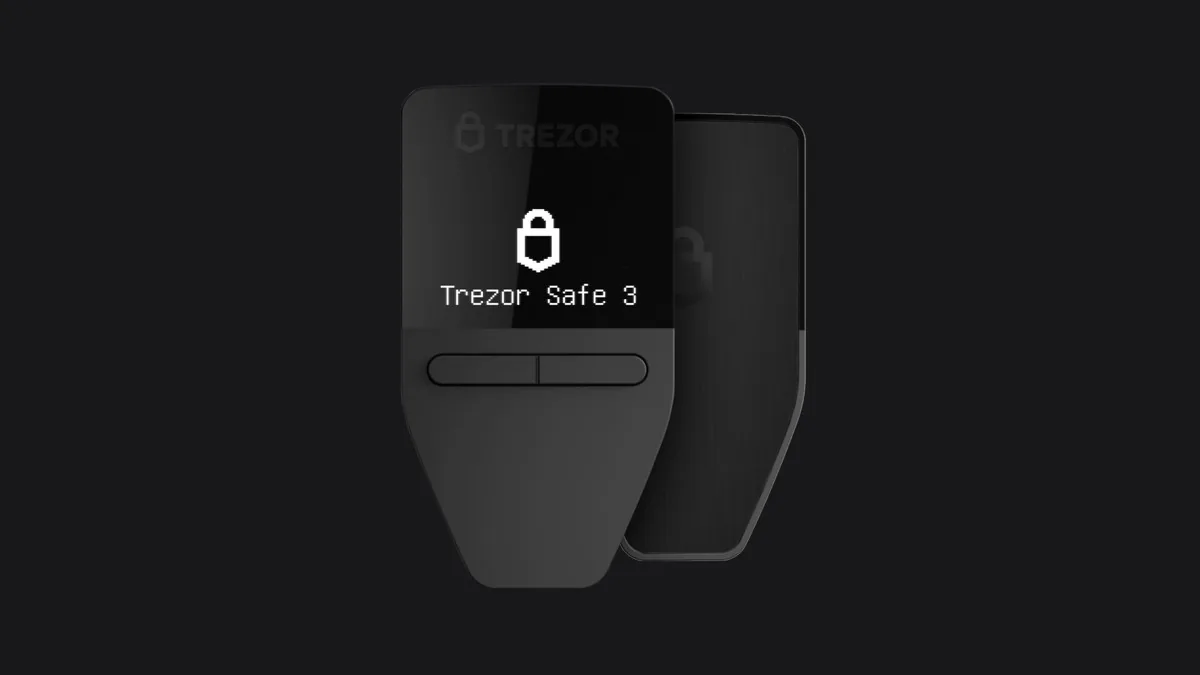
Trezor Safe 3 review
Who is this for? Anyone who self-custodies cryptocurrency and doesn’t want to leave keys on an exchange. If you hold Bitcoin or other crypto and don’t yet have a hardware wallet, this is the logical first step.
The Trezor Safe 3 is the entry model of Trezor’s current three-wallet range (Safe 3 / Safe 5 / Safe 7) and the cheapest way to get a Trezor with a certified secure element. It’s a long-standing recommendation in privacy and Bitcoin communities, and for good reason. This is our assessment after daily use.
Why a hardware wallet?
Leaving your cryptocurrency on an exchange means the exchange manages the keys, not you. If the exchange goes bankrupt, gets hacked, or denies you access — you are the one who suffers.
A hardware wallet stores your private keys in an isolated chip. The keys never leave the device. Transactions are signed on the device and only then sent. Even a compromised computer cannot steal your crypto.
Specifications
| Property | Value |
|---|---|
| Secure element | EAL6+ (OPTIGA Trust M V3) |
| Firmware | Fully open-source |
| Display | Yes — transaction details verifiable |
| USB | USB-C |
| Bluetooth | No (USB-C only) |
| Price | around $59 / ~€60 — check current price |
| Production | Czech Republic |
What makes the Safe 3 special?
Open-source firmware. Trezor publishes all firmware as open-source. The community and researchers can verify what the device does. This is a fundamental difference from Ledger, whose firmware is closed.
EAL6+ secure element. The Safe 3 introduces a certified security chip into the Trezor line — something previous Trezor models lacked. This protects against physical attacks on the hardware.
No Bluetooth. Bluetooth is an attack vector. The Safe 3 connects only via USB-C. Smaller attack surface — but note the trade-off: without Bluetooth the Safe 3 does not work with iPhones (iOS needs the Bluetooth-equipped Safe 7).
Verifiable display. You check the receiving address and transaction amount on the Safe 3’s own screen, not on your computer. A compromised computer cannot secretly show a different address. It is a small monochrome screen — the Safe 5 and Safe 7 add a colour touchscreen.
Safe 3 vs Safe 5 vs Safe 7
| Safe 3 | Safe 5 | Safe 7 | |
|---|---|---|---|
| Price | ~$59 | ~$169 | ~$249 |
| Screen | Small monochrome | Colour touchscreen | 2.5” colour touchscreen |
| Secure element | EAL6+ (OPTIGA Trust M V3) | Same | Open / transparent dual secure element |
| Shamir Backup | No | Yes | Yes |
| Bluetooth / iOS | No | No | Yes |
| Extra | — | — | Post-quantum crypto, Qi2 charging, IP67 |
The Safe 3 has the same certified secure element and open firmware as the rest of the range — the paid models buy a nicer screen, Shamir Backup, and (on the Safe 7) Bluetooth for iOS plus post-quantum signatures. For most people starting out, the Safe 3 is enough; step up to the Safe 5 if you want the touchscreen and Shamir, or the Safe 7 if iOS support or future-proofing against quantum attacks matters to you.
On trust models
Ledger is widely sold but is not recommended for privacy-conscious users.
In 2023, Ledger introduced the “Recover” feature: a system that splits your seed phrase into three parts and sends them to third-party servers. The seed phrase — the key to everything — thereby leaves the device.
Ledger says this is optional. But because the architecture allows it, the firmware can export your seed phrase. For many users, that is an unacceptable risk regardless of whether you use the feature.
Choose Trezor Safe 3 or Coldcard instead of Ledger.
Daily use
The Safe 3 is compact enough to attach to a keychain. The USB-C connector works directly with modern computers and with Android via OTG adapter.
Trezor Suite — the accompanying software — is clear and works on Linux, macOS and Windows. For most users, it is a strong part of the package because setup and day-to-day management stay straightforward.
Setup takes about ten minutes. You generate a seed phrase of 12 or 24 words, write it on paper (never digital), and the device is ready to use.
Caveats
The Safe 3 supports most major cryptocurrencies but not all. Check before purchasing whether your coins are supported via trezor.io/coins.
No built-in coin mixing. Trezor Suite used to offer CoinJoin for Bitcoin privacy, but the coordinator it relied on (zkSNACKs) shut down under regulatory pressure in June 2024 and the feature was removed. Trezor Suite has no replacement, so on-chain privacy is now down to your own coin-control discipline.
For Bitcoin-only use with maximum paranoia: the Coldcard Mk4 or Q offers more advanced features (air-gapped operation, PSBT). The price is higher; the complexity too.
Pros and cons
Pros
- Fully open-source firmware — community and researchers can verify what the device does, unlike Ledger
- EAL6+ secure element (OPTIGA Trust M V3) — certified against physical hardware attacks
- No Bluetooth — smaller attack surface than keys with wireless connectivity
- Verifiable display shows transaction address and amount on the device itself — a compromised computer cannot substitute a different address
- Mature desktop software and straightforward onboarding
Cons
- Does not support all cryptocurrencies — check trezor.io/coins before purchasing
- Seed phrase backup on paper is the weakest link — vulnerable to fire and water without additional protection (Shamir Backup, which spreads the risk across multiple shares, is only on the Safe 5 and Safe 7)
- No Bluetooth means no iPhone support — iOS users need the Safe 7
- For Bitcoin-only with maximum security (air-gapped, PSBT), the Coldcard Mk4 or Q offers more advanced features at a higher price and complexity
Conclusion
The Trezor Safe 3 is a strong hardware wallet if open-source firmware and a simple desktop workflow matter to you. The best choice still depends on your coins, your trust model, and how much complexity you are willing to accept.
Storing your seed phrase on paper is the weakest link. Consider a steel seed phrase backup — survives fire and water, fits in a safe.
More into the Bitcoin space? The NerdMiner is the other extreme — an ESP32 that tries to solo mine 24/7. Not serious, but educational.
Getting started
1. Initialise the device
Connect the Trezor Safe 3 via USB-C. Go to trezor.io/start — the wizard guides you through firmware installation and PIN setup.
2. Write down your seed phrase
The device generates a seed phrase of 12 or 24 words. Write it on the included recovery card — never digital, never a photo. This is the only backup for your crypto.
3. Install Trezor Suite
Download Trezor Suite from trezor.io/trezor-suite for Linux, macOS or Windows. Connect the device, add your first account, and send a small test amount before transferring larger holdings.
Next step
Chosen the Trezor Safe 3?
- Network security for crypto holders — the other weak link alongside your hardware wallet
Similar options
- For Bitcoin-only with air-gapped operation: Coldcard Mk4 or Q — higher price and complexity, maximum paranoia
- For a simpler self-custody approach without hardware: see the KeePassXC review as an analogy for key management principles
Want to go further?
- VeraCrypt review — encrypted storage for backing up your seed phrase on disk