GL.iNet Brume 2 (MT2500) review
The GL.iNet Brume 2 is a compact VPN gateway without Wi-Fi. Place it between your modem and router, and all your devices automatically go through WireGuard. 310 Mbps, silent, low power.
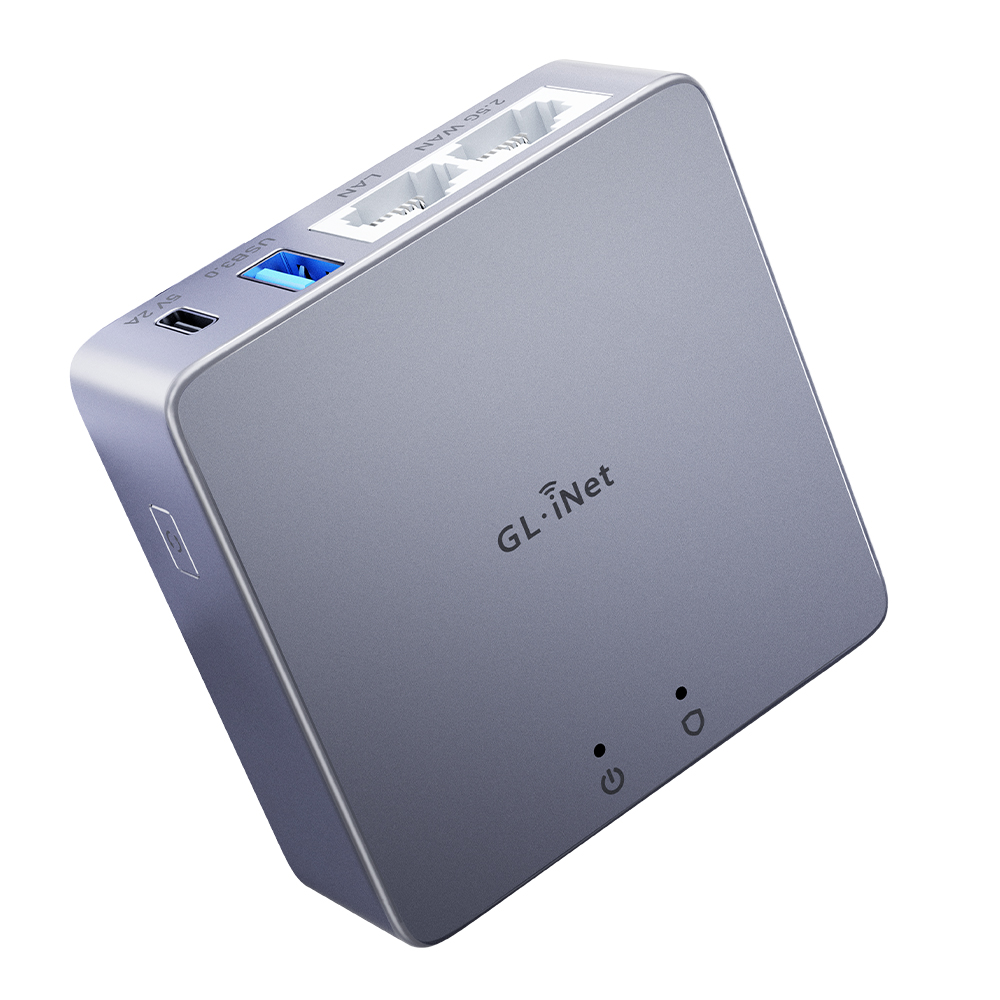
GL.iNet Brume 2 (MT2500) review
The Brume 2 is not a router in the traditional sense — it has no Wi-Fi. It is a VPN gateway: a small device you place between your existing modem and router, so all your devices automatically go through WireGuard without configuring each device separately.
Specifications
| Property | Value |
|---|---|
| Processor | MediaTek MT7981 (ARM Cortex-A53, 1.3 GHz, dual-core) |
| RAM | 1 GB DDR4 |
| Storage | 8 GB eMMC |
| Wi-Fi | None |
| Ethernet | 1x 2.5 Gbps WAN, 1x Gigabit LAN |
| USB | 1x USB 3.0 |
| Operating System | OpenWrt |
| Power | USB-C |
| Version | MT2500 (plastic) / MT2500A (aluminium) |
| Price | €69 (plastic) / €89 (aluminium) |
How does a VPN gateway work?
Normally you configure WireGuard per device: once on your phone, once on your laptop, and so on. With a VPN gateway you do it once on the gateway, and all devices behind it automatically go through VPN — including devices that cannot run VPN themselves (smart TV, game console, smart home devices).
Setup:
Internet → Modem/ONT → Brume 2 (WireGuard) → Router → all devicesOr if your existing router already works as a modem bridge:
Internet → Modem → Brume 2 (WireGuard) → Switch/Wi-Fi AP → devicesWireGuard performance
The Brume 2 achieves approximately 310 Mbps WireGuard throughput. That is more than enough for most home connections — VPN servers from providers like Mullvad, ProtonVPN and IVPN rarely deliver more than 250–350 Mbps per connection anyway.
For symmetric 1 Gbps fibre, the Brume 2 is a bottleneck. For that, look at the Brume 3 (1,100 Mbps WireGuard) or the Flint 2 (~850 Mbps).
Advantages over VPN on a router
Works with any existing router: You do not replace your router. You place the Brume 2 in front of your existing router. Your Wi-Fi settings, devices, and network name remain unchanged.
Always on, silent, low power: The Brume 2 uses less than 5W. Just leave it running — no laptop required, no VPN app to forget to activate.
1 GB RAM, 8 GB eMMC: Enough for WireGuard, OpenVPN, AdGuard Home and DNS-over-TLS simultaneously without memory pressure.
2.5 Gbps WAN port: Future-proof for faster fibre connections.
Built-in features
Via the GL.iNet web interface (or OpenWrt CLI):
- WireGuard and OpenVPN client
- DNS-over-TLS and DNS-over-HTTPS
- AdGuard Home (built-in DNS ad blocker)
- VPN policy per device: route specific devices outside the VPN
- Kill switch: block internet if VPN drops
MT2500 vs MT2500A (aluminium)
The only difference is the housing. The aluminium version (MT2500A) has better passive cooling — no fan, more durable for 24/7 use. If you plan to run the Brume 2 continuously, the aluminium version is the better investment.
Who is it for
Buy the Brume 2 if:
- You have an existing router and Wi-Fi setup you want to keep
- You want all home devices to go through WireGuard without per-device configuration
- Your internet connection is under 300 Mbps (or your VPN server is the bottleneck anyway)
- You want a simple, silent solution that just works
Choose something else if:
- You also need a new router or Wi-Fi solution → Flint 2 or Flint 3
- You want speeds above 400 Mbps through WireGuard → Brume 3
- You need a travel router → Beryl AX
Conclusion
The Brume 2 solves a specific problem: you want all your home devices to go through VPN without replacing your existing network. Compact, silent, energy efficient, and the 2.5G WAN port makes it future-proof. For connections up to 300 Mbps, it is the cheapest fully capable WireGuard solution available.
See also:
- GL.iNet Flint 2 review — home router with Wi-Fi and ~850 Mbps WireGuard
- GL.iNet Beryl AX review — travel router from the same family
- Which network fits your threat profile? — how much router do you need?